
Agent Guide
As a Helpdesk agent, you can manage customer conversations, collaborate with your team, and keep customer information up to date.
Agents work primarily inside the Helpdesk, where they can access conversations and other features according to their assigned permissions.
This guide covers the main tasks agents perform and links to detailed instructions for each one.
1. Access Your Helpdesk
When an administrator adds you as an agent, you receive an email containing your sign-in details and a link to your Helpdesk.
Use the provided link and credentials to sign in.
If you forget your password or cannot access your account, contact your Helpdesk administrator for assistance.
2. Configure Your Account
After signing in, review your account information, notification preferences, and availability status.
3. Find and Organize Conversations
Open the conversations list to find customer inquiries and identify conversations that need your attention.
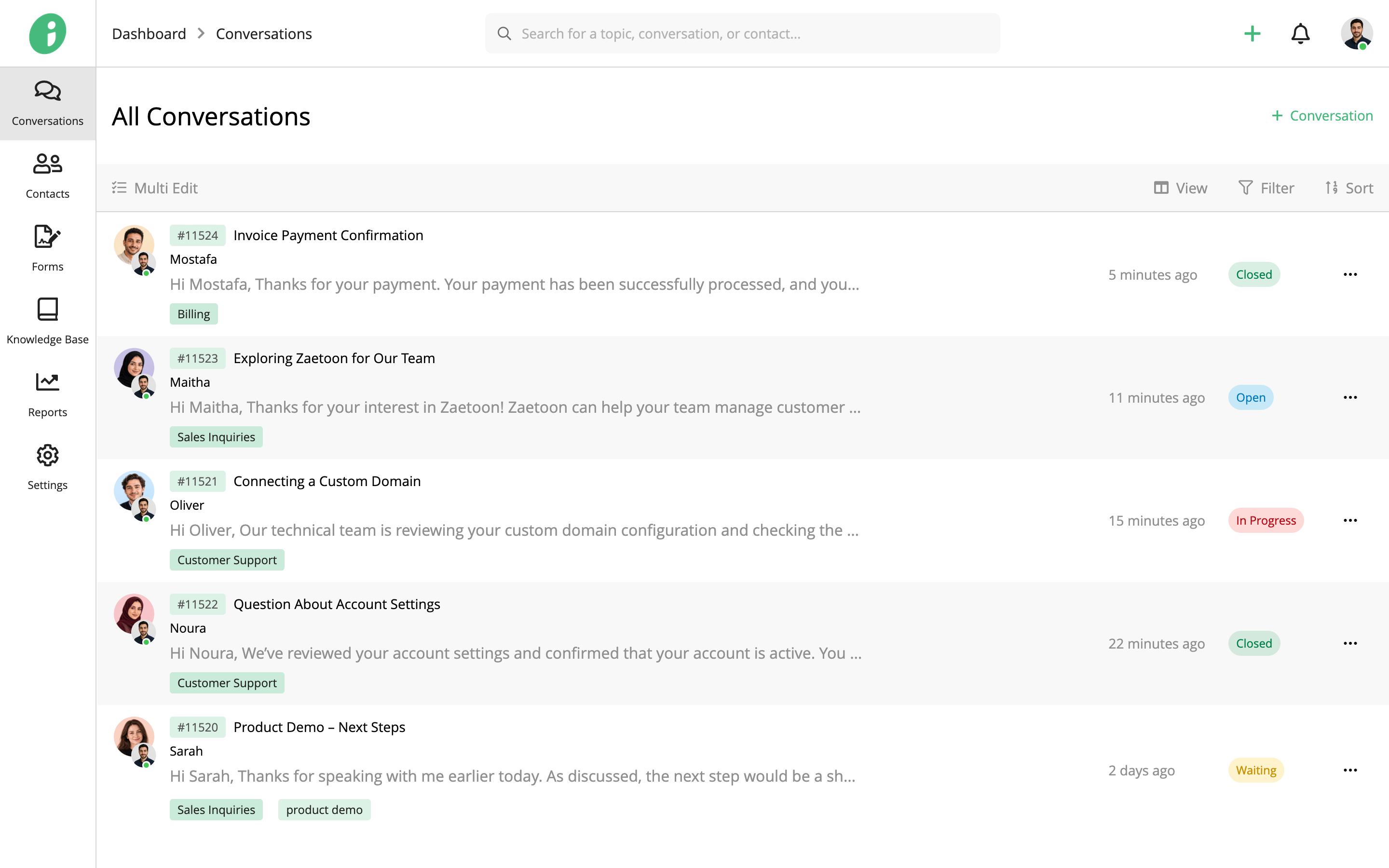
You can use conversation views, search, filters, and sorting options to organize your work and locate specific conversations.
4. Respond to Customers and Collaborate
Open a conversation to review its messages and customer information, reply to the customer, update its status, and coordinate with other agents.
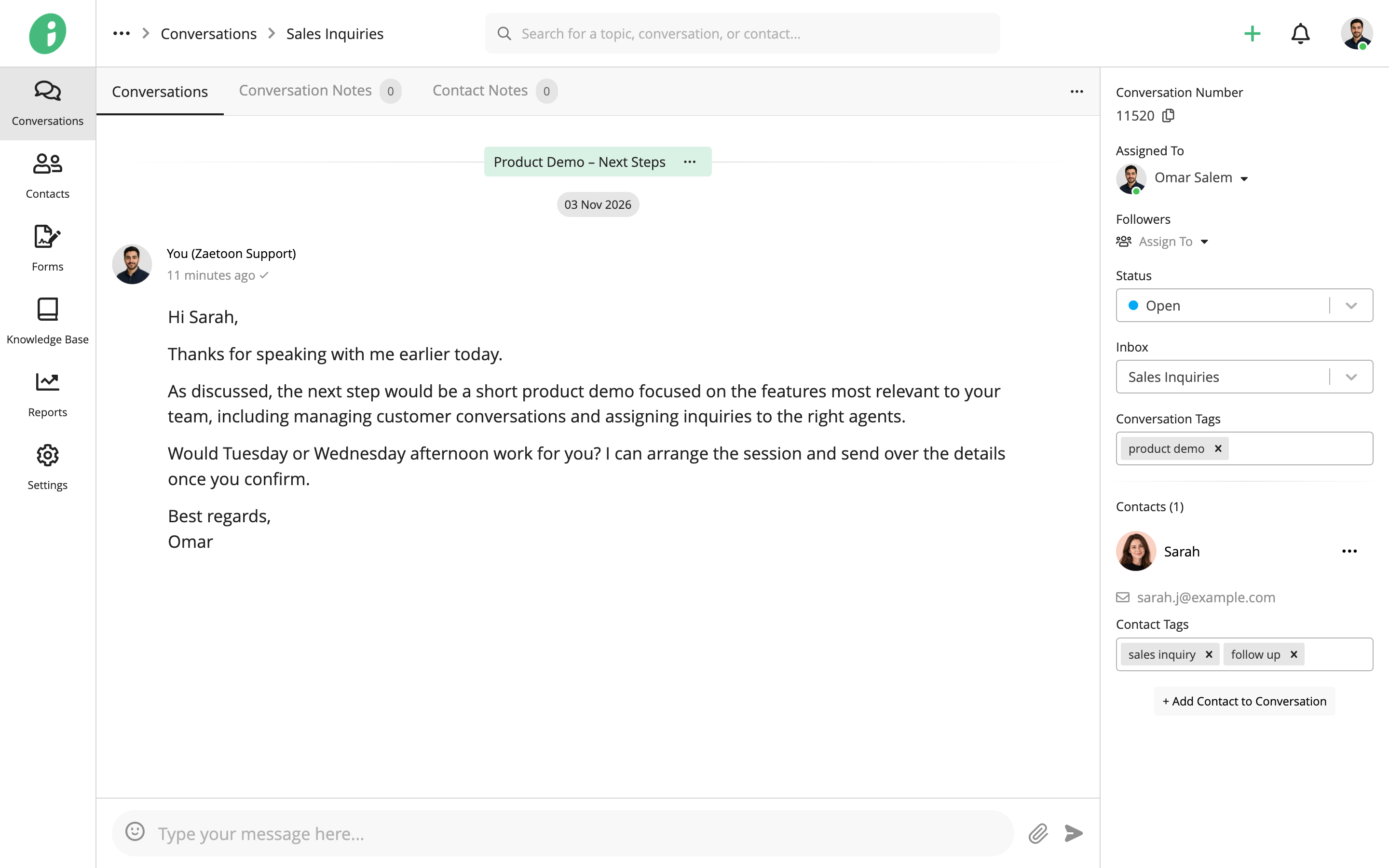
You can also manage assignments, add conversation notes, and create new conversations when needed.
5. Manage Customer Information
Review contact and company records to better understand customer inquiries and maintain accurate information.
Depending on your permissions, you can update customer details, add notes, and manage relevant contact and company information.
Additional Responsibilities
Depending on your assigned permissions, you may also be responsible for creating and updating Knowledge Base articles to help customers find answers.
For instructions on configuring Helpdesk settings, managing agents and teams, and setting up communication channels, see the Administrator Guide.