
You can manage your account information in Zaetoon Helpdesk to update your profile, change your password, configure language and theme settings, and generate an API key.
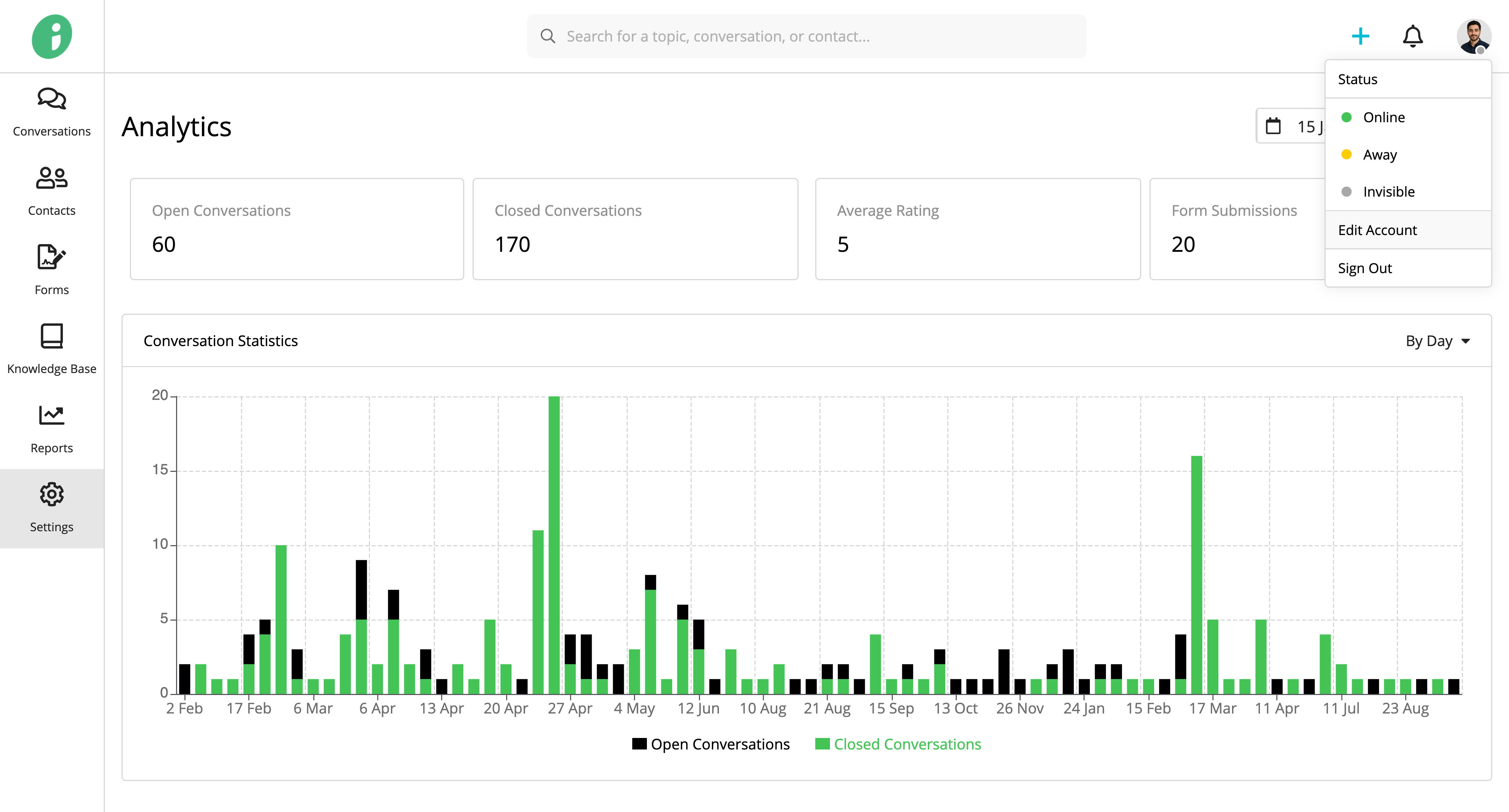
From your Helpdesk, click your profile picture in the top-right corner and select Edit Account.
Update Your Profile Information
You can update the following information:
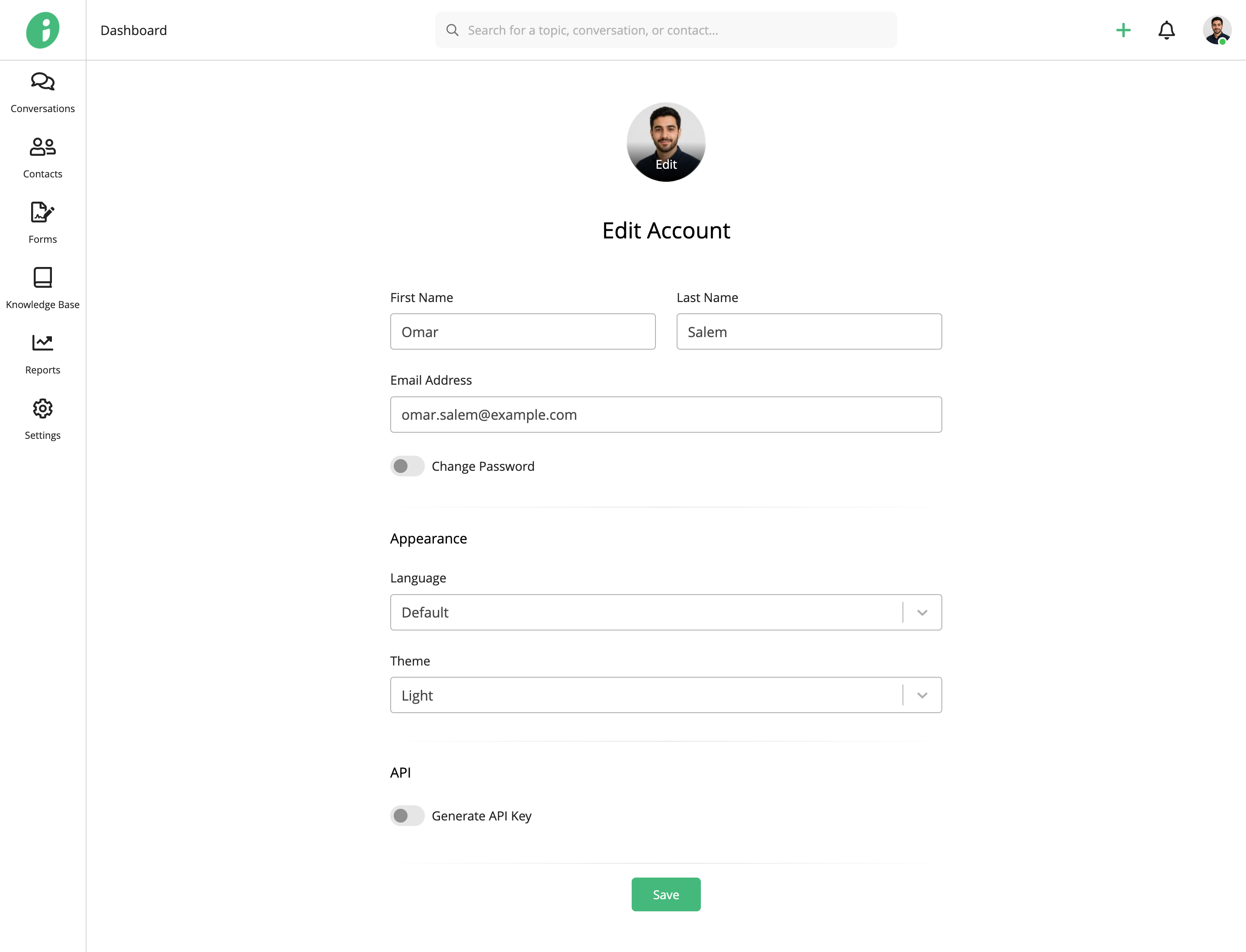
- Profile Picture: Click Edit on your profile picture to change it.
- First Name: Update your first name.
- Last Name: Update your last name.
- Email Address: Update the email address associated with your account.
Under Appearance, you can also configure:
- Language: Select your preferred Helpdesk language.
- Theme: Choose Light, Dark, or System Default to follow your device’s theme settings.
Click Save to apply your changes.
Change Your Password
Enable Change Password.
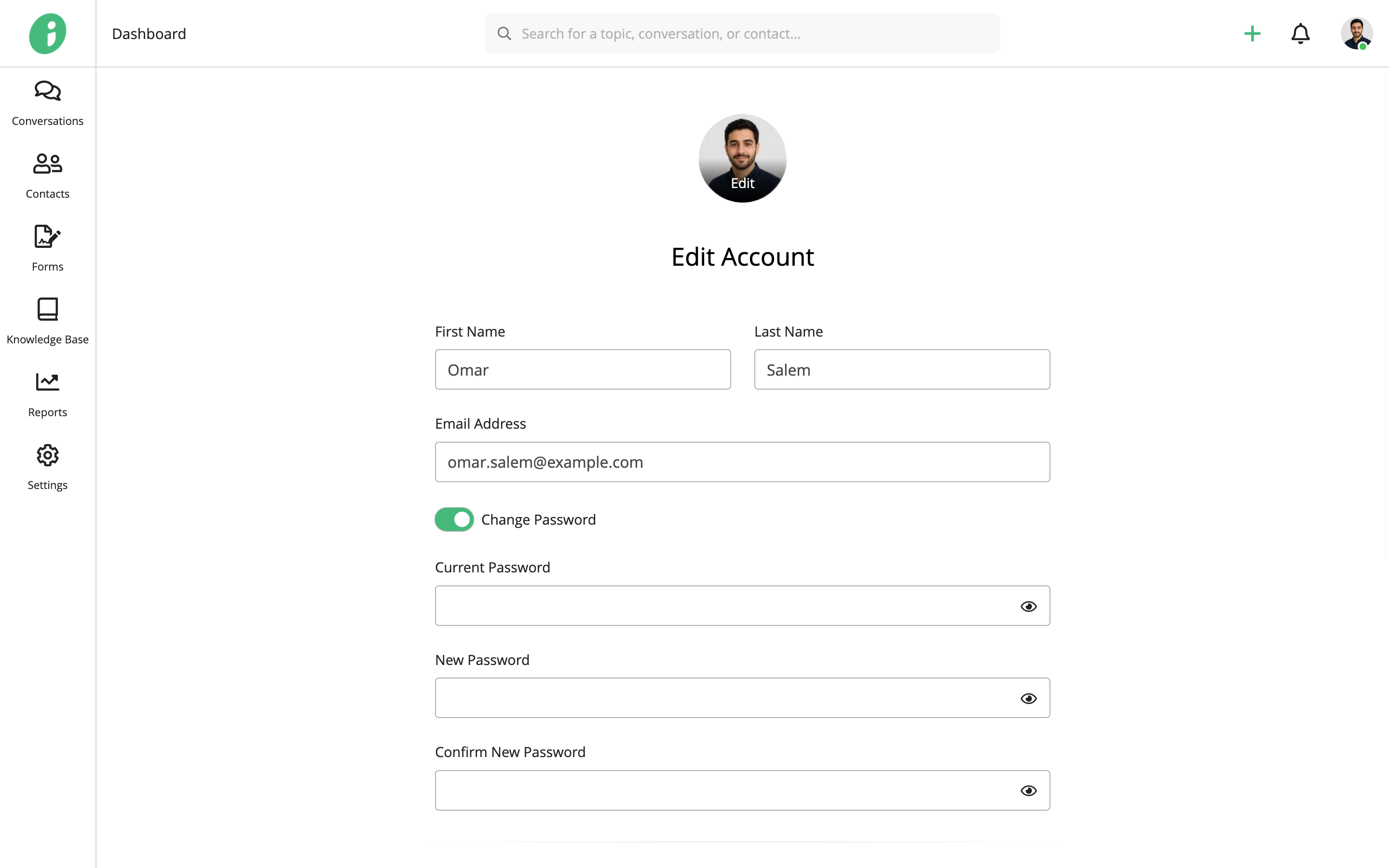
Enter the following information:
- Current Password: Enter your existing password.
- New Password: Enter the new password you want to use.
- Confirm New Password: Re-enter your new password to confirm it.
Click Save to update your password.
Generate an API Key
Under API, enable Generate API Key.
Click Generate to create an API key.
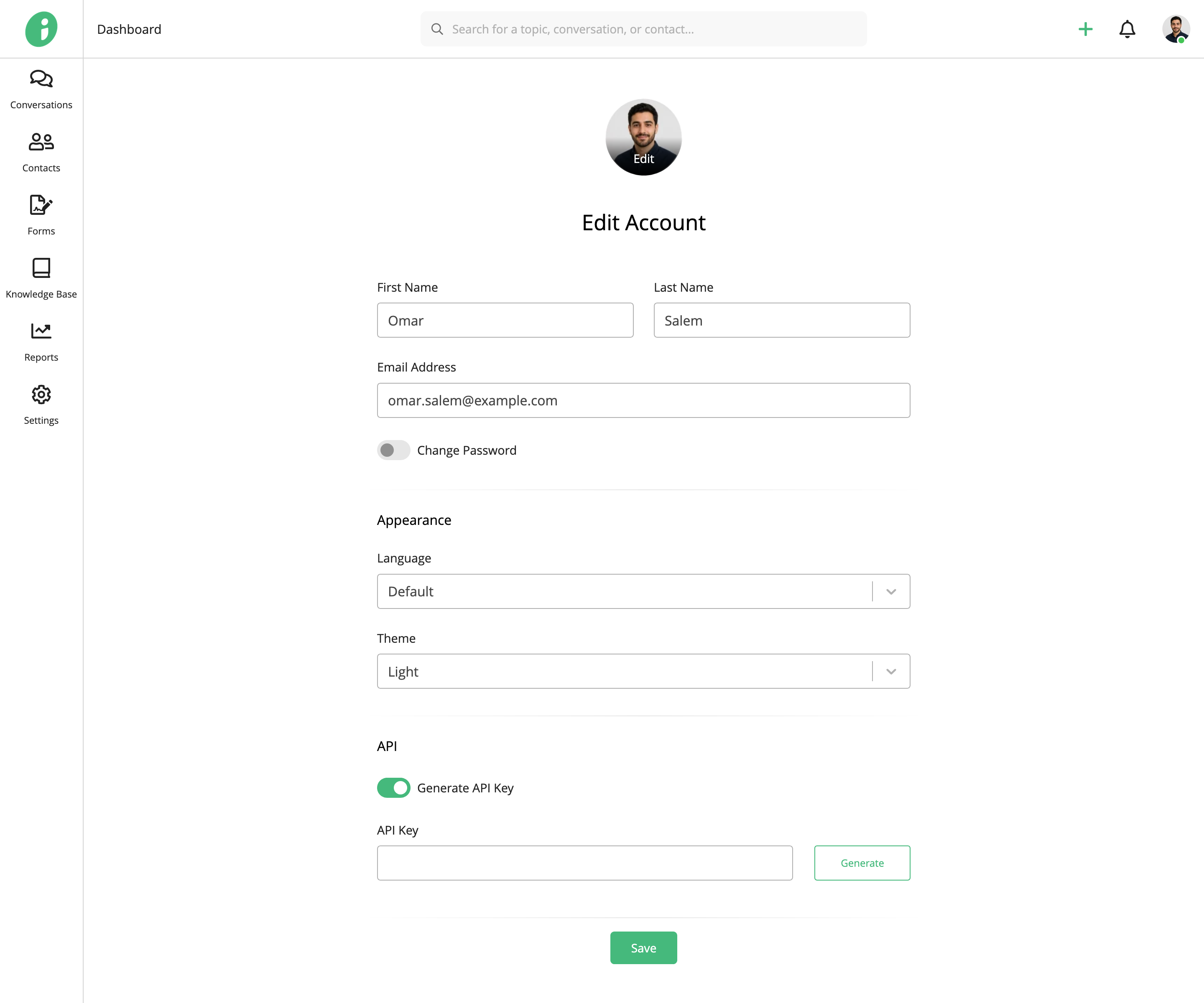
A window appears displaying your generated API key.
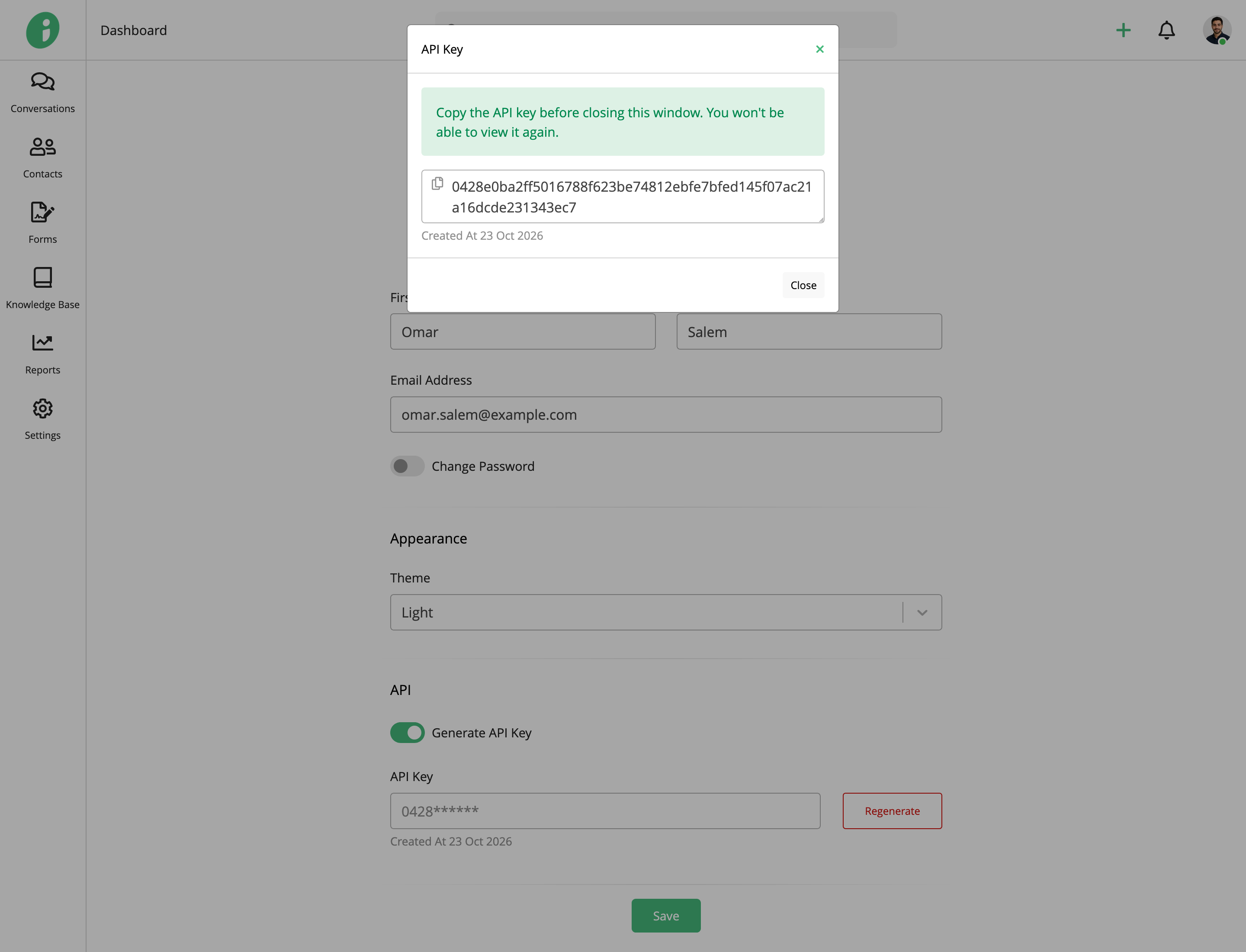
Important: Copy your API key and store it securely before closing the window. You won’t be able to view the full key again.
After generating an API key, the Generate button changes to Regenerate, allowing you to create a new key when needed.