
You can automatically close conversations in your Zaetoon Helpdesk when customers don’t reply within a specified number of days. Automatic closing can be configured separately for each conversation status.
Set Up Automatic Conversation Closing
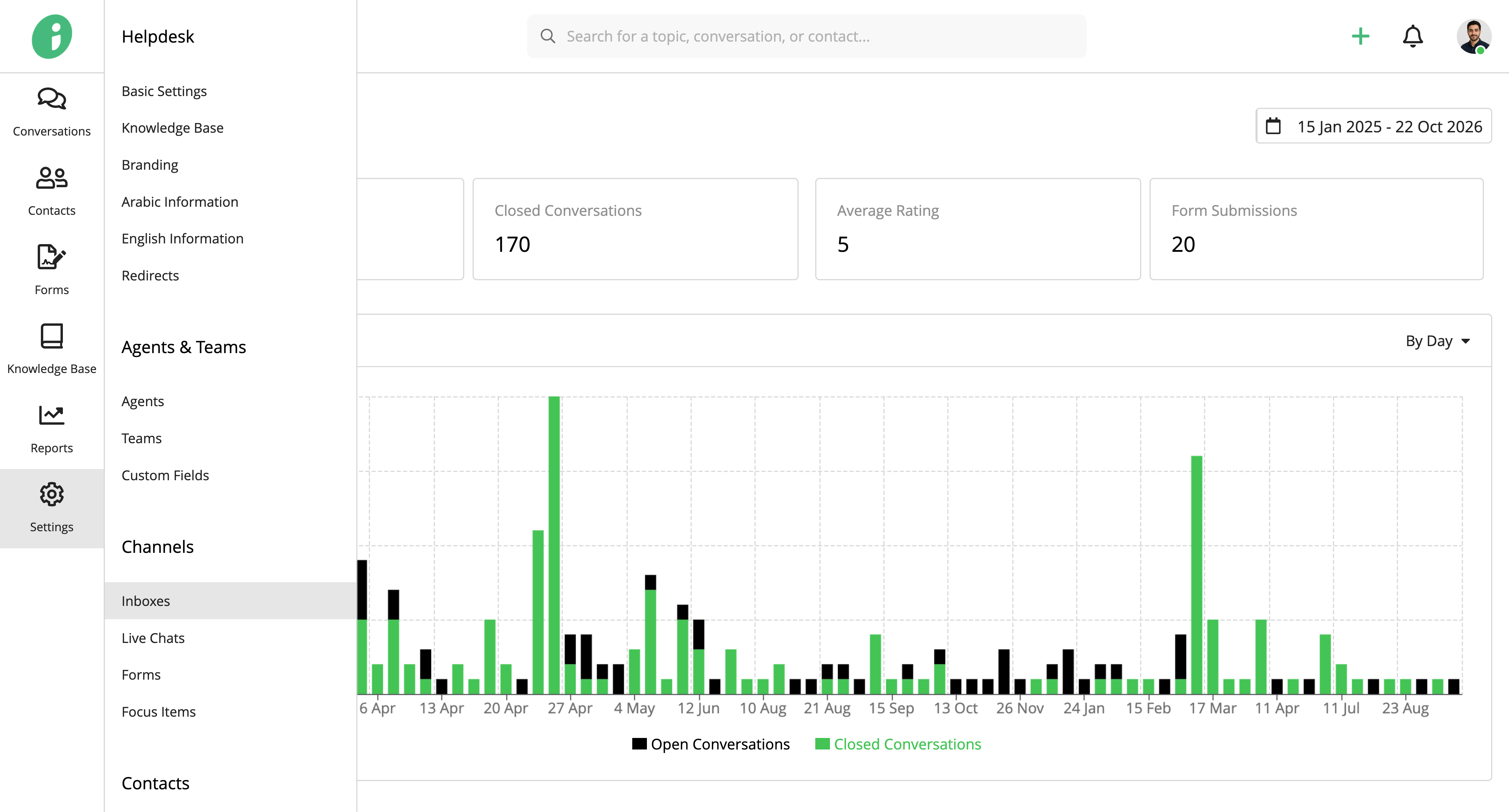
From your Helpdesk, go to Settings → Communication Channels → Inboxes.
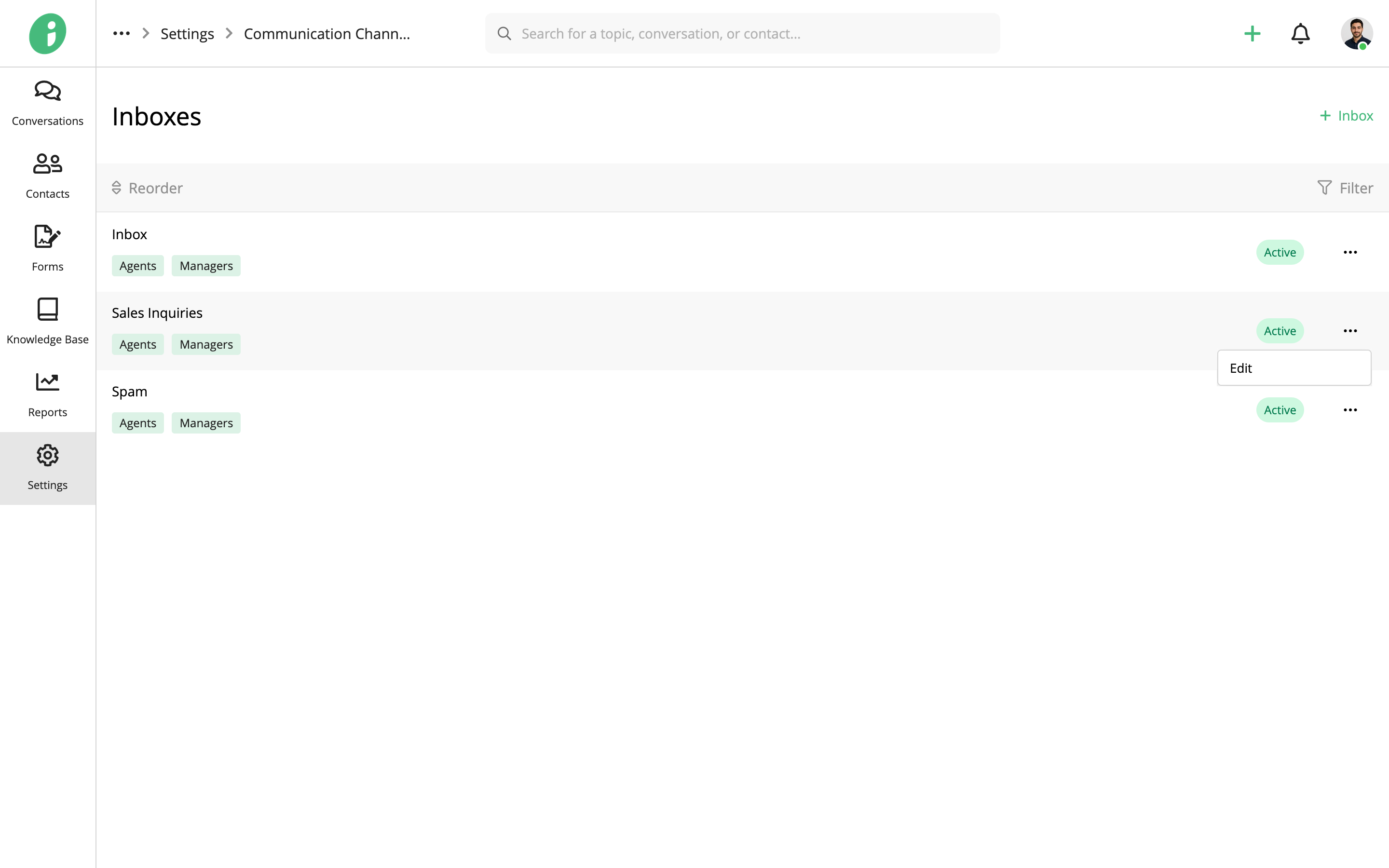
Find the inbox you want to configure, open its options menu, and select Edit.
Select Conversation Statuses and expand the status you want to configure, such as Waiting.
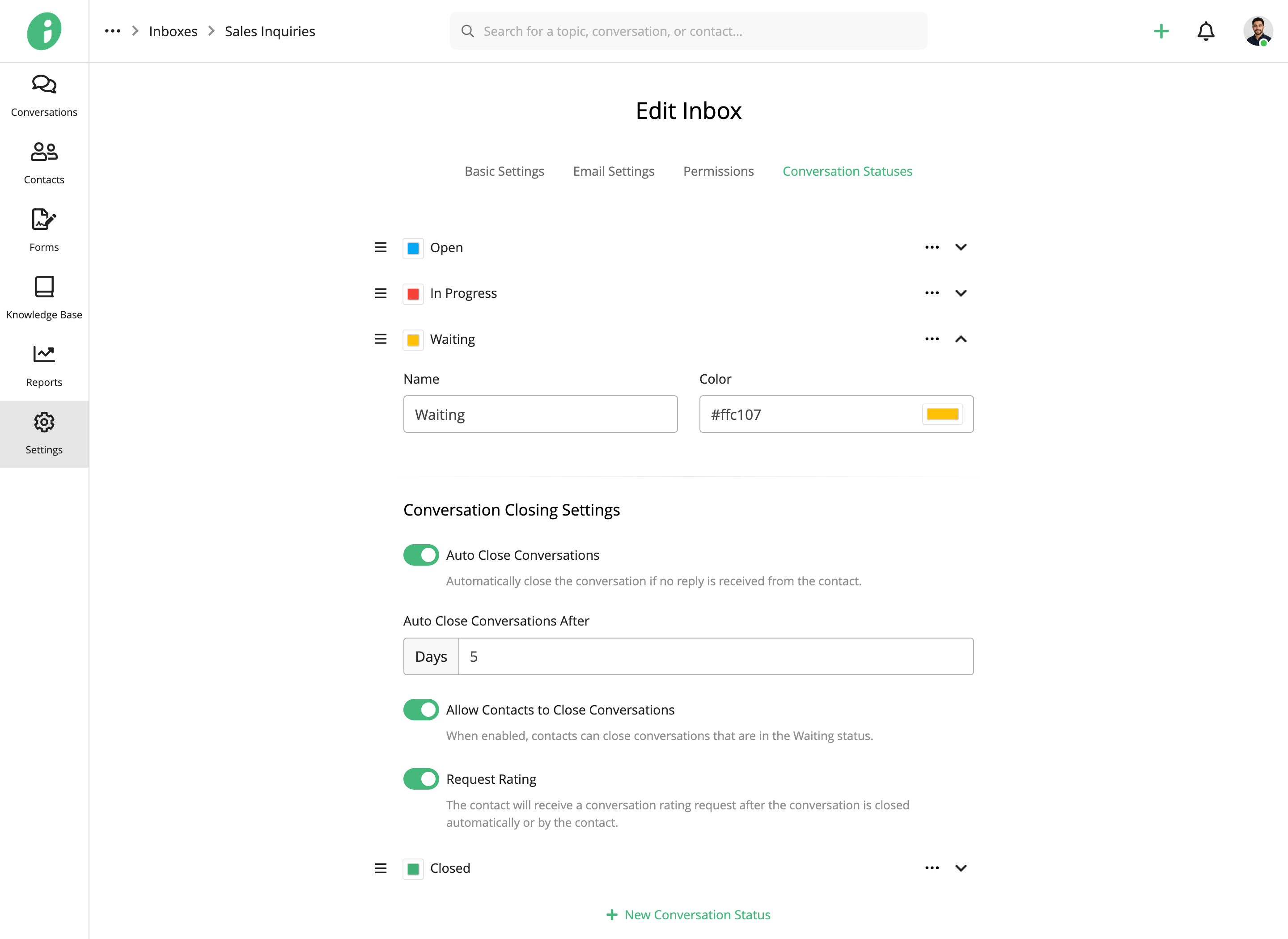
Under Conversation Closing Settings, configure the following:
- Auto Close Conversations: Enable this option to automatically close conversations if no reply is received from the contact.
- Auto Close Conversations After: Specify the number of days to wait before automatically closing the conversation.
- Allow Contacts to Close Conversations: Enable this option to allow contacts to close conversations in the selected status.
- Request Rating: Enable this option to send a conversation rating request when the conversation is closed automatically or by the contact.
Click Save to apply your changes.