
You can automatically send an email to customers when a new conversation is created in your Zaetoon Helpdesk. You can customize the automatic reply message for each inbox.
Set Up an Automatic Reply
From your Helpdesk, go to Settings → Communication Channels → Inboxes.
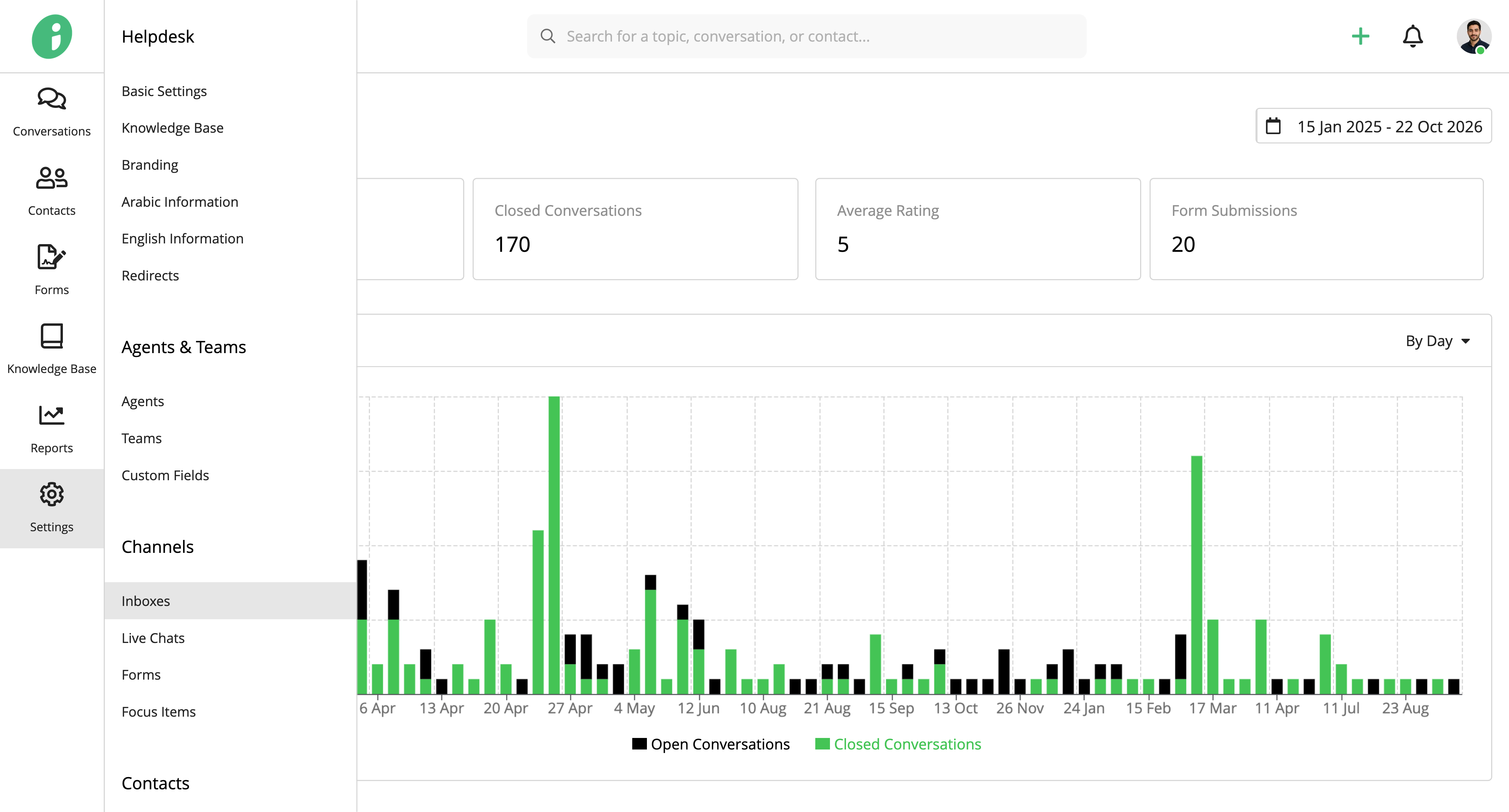
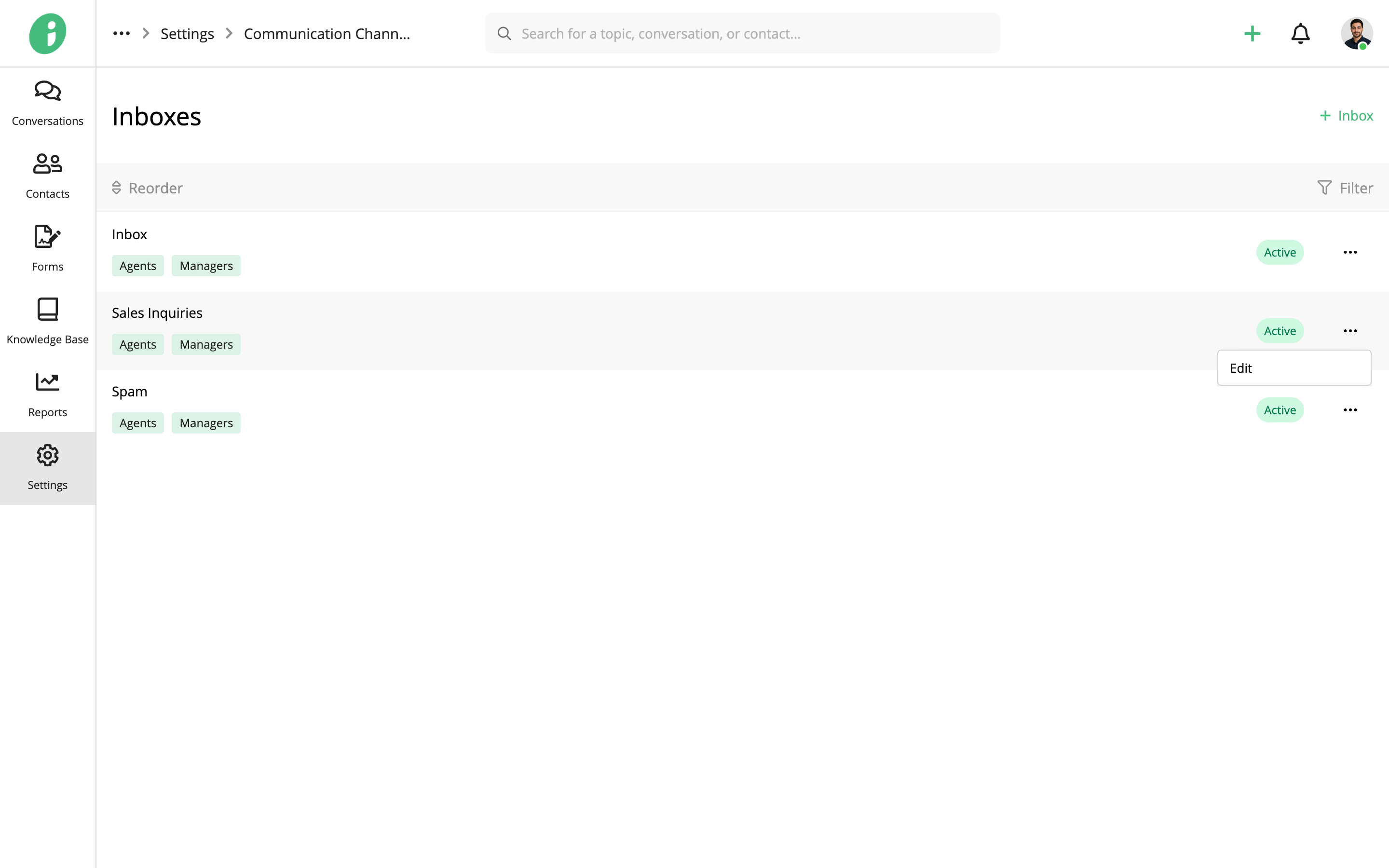
Find the inbox you want to configure, open its options menu, and select Edit.
Under Basic Settings, configure the automatic reply options.
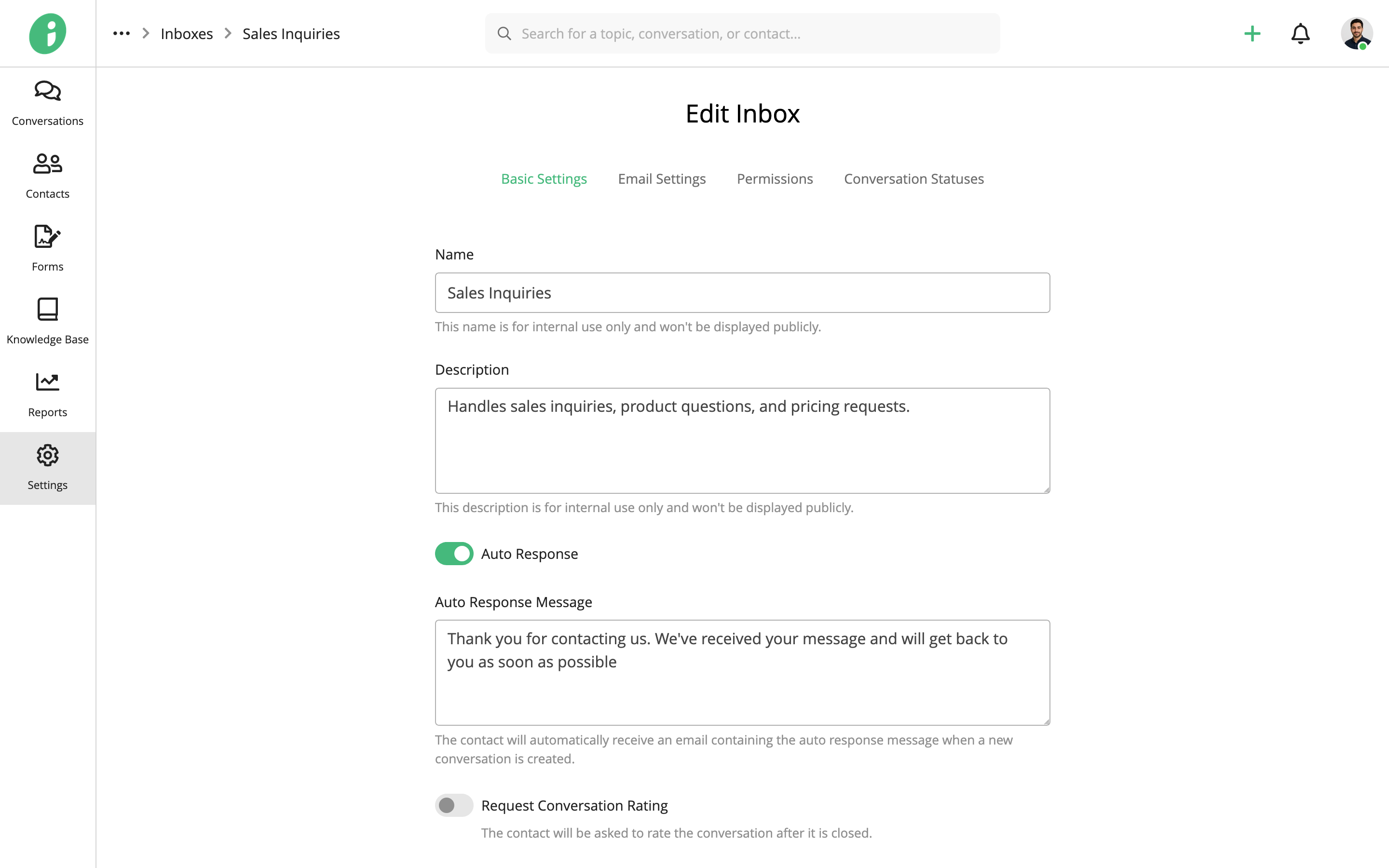
- Auto Response: Enable this option to automatically send an email when a new conversation is created.
- Auto Response Message: Enter the message you want customers to receive.
Click Save to apply your changes.