A Helpdesk manager can reset an agent’s password when needed to restore access to their account.
Reset an Agent’s Password
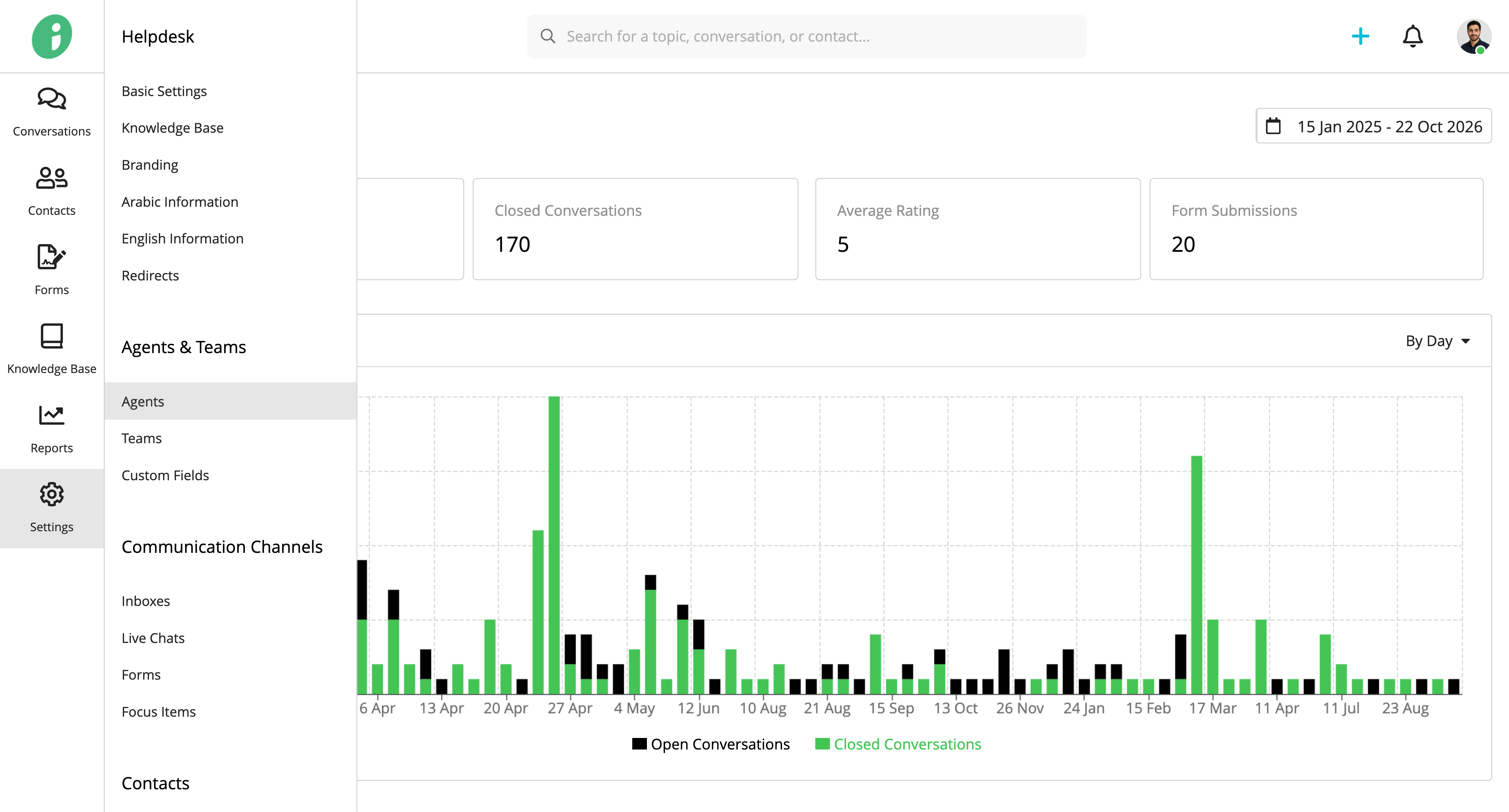
From your Helpdesk, go to Settings → Agents & Teams → Agents.
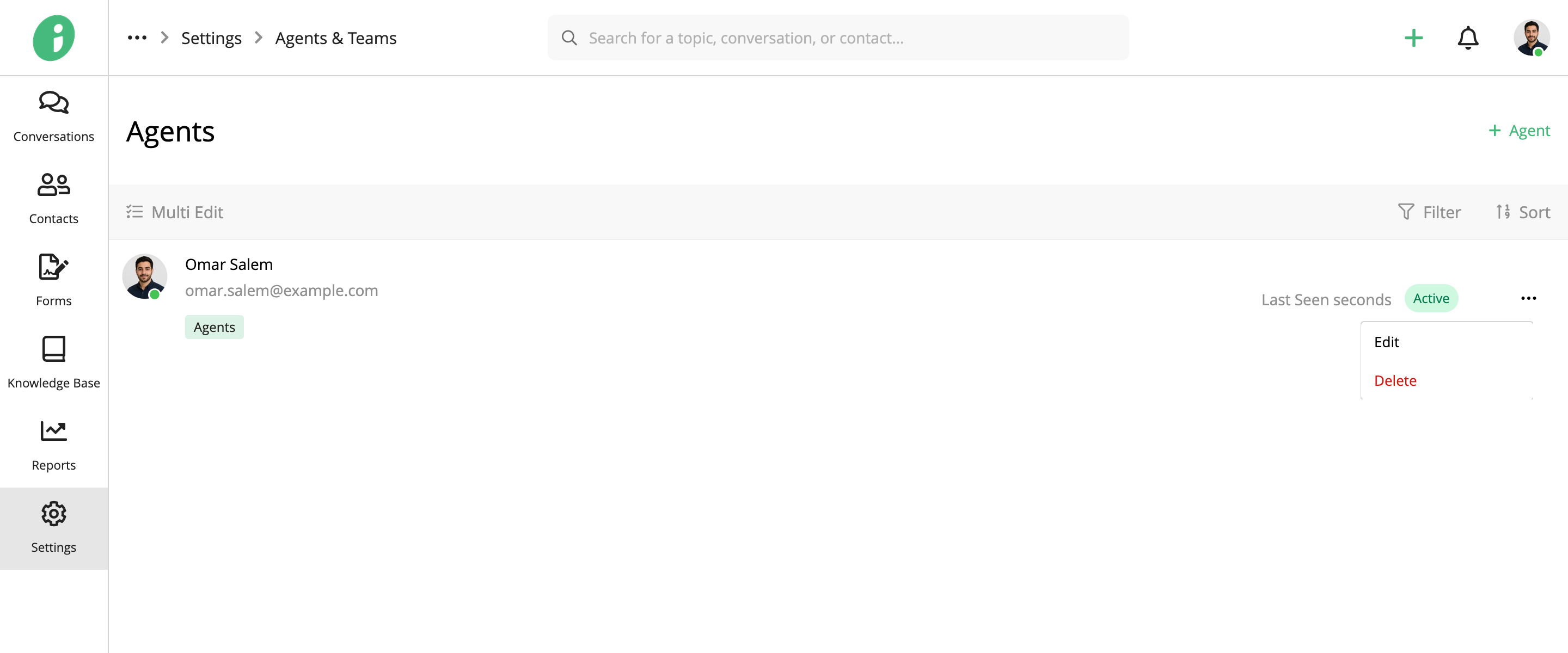
Find the agent whose password you want to reset, open their options menu, and select Edit.
Under Basic Settings, enable Change Password and enter a new password in the New Password field.
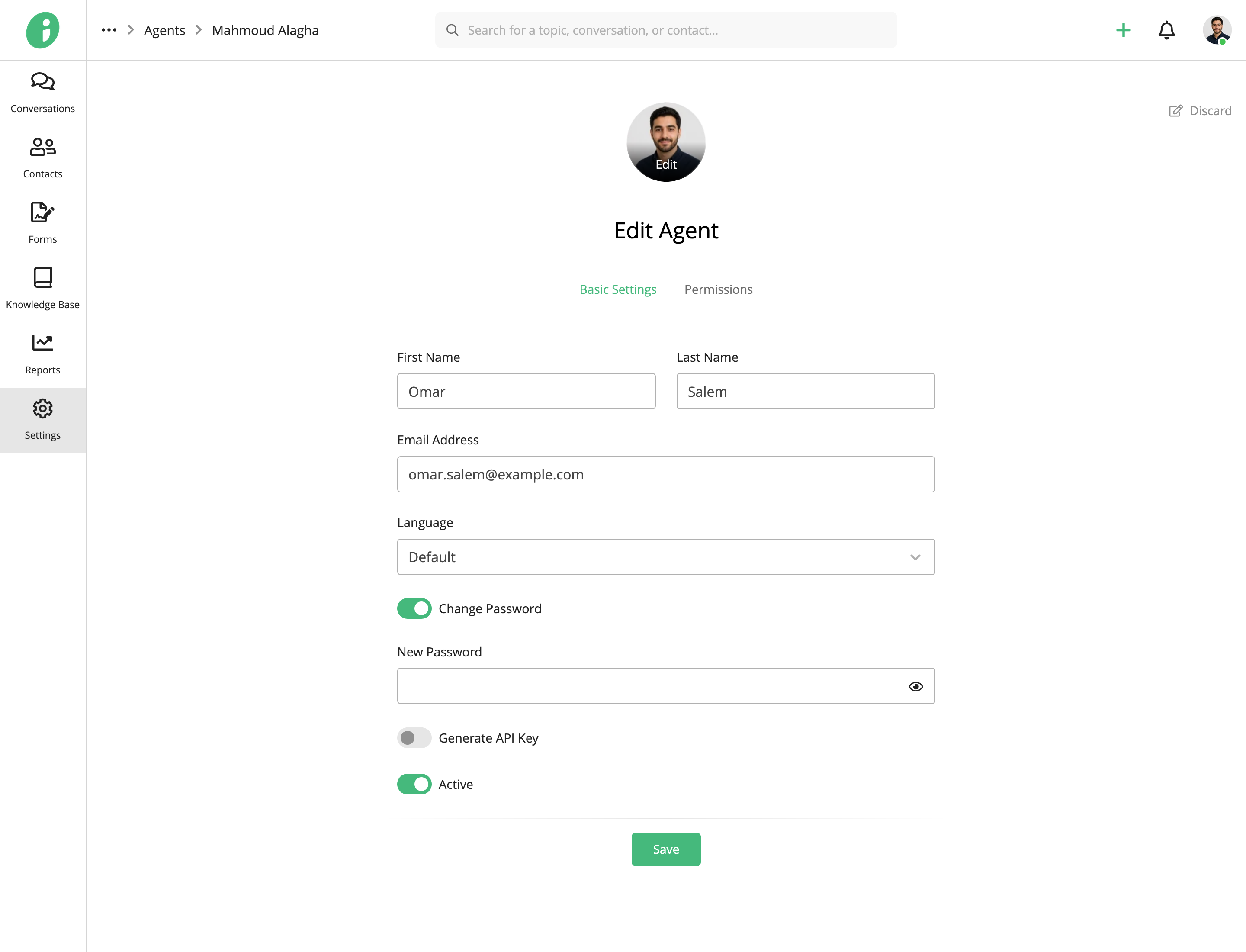
Click Save to apply your changes.
The agent can then sign in to the Helpdesk using their new password.
Agents can also change their own passwords. See Manage Account Information.