Manage your Zaetoon Helpdesk’s Knowledge Base settings, including visitor access, live chat availability, custom domain redirection, and layout.
From your Helpdesk, go to Settings → Helpdesk → Knowledge Base.
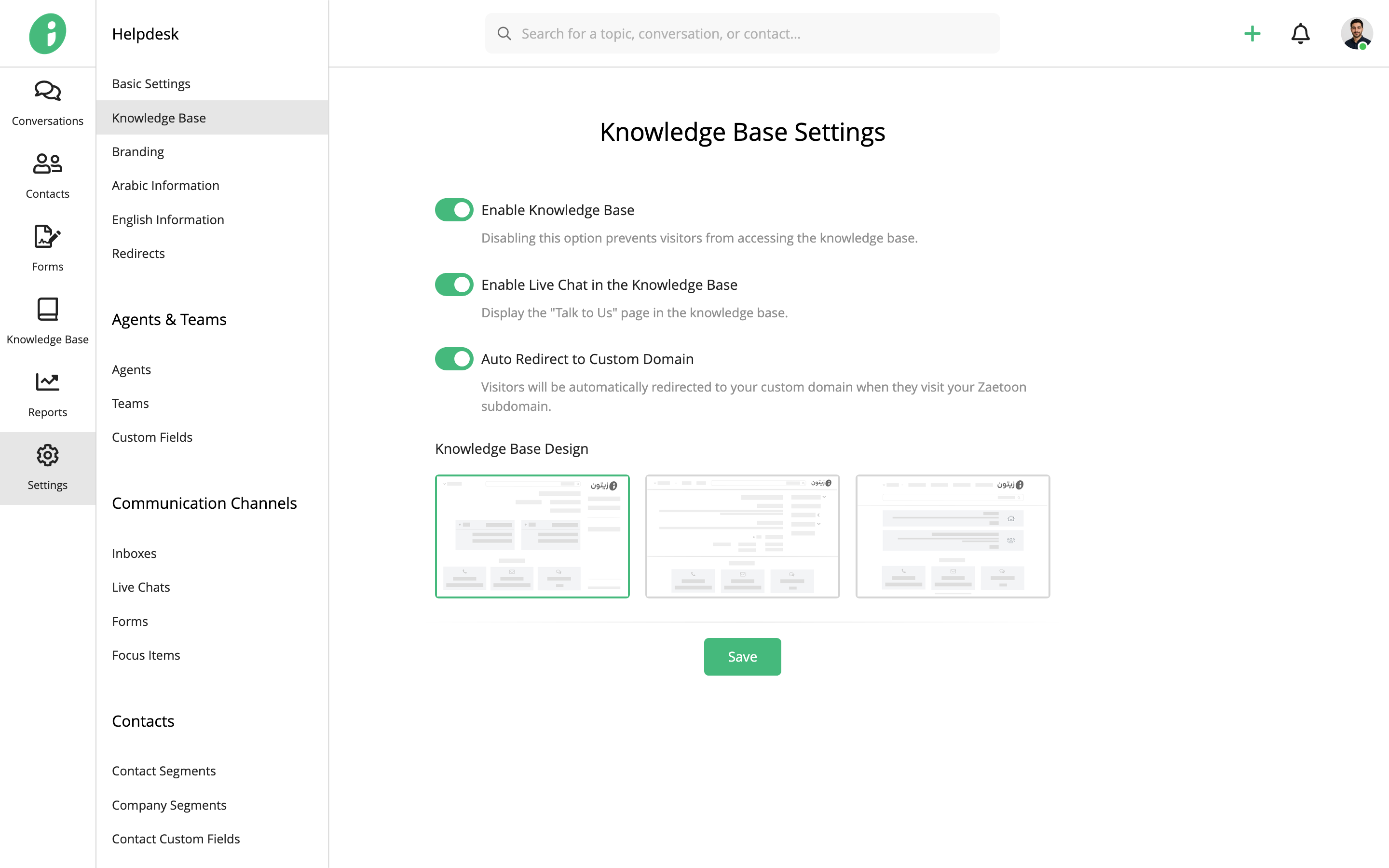
Configure the following options:
- Enable Knowledge Base: Allow visitors to access your knowledge base. Disable this option to restrict access.
- Enable Live Chat in the Knowledge Base: Display the Talk to Us page in your knowledge base.
- Auto Redirect to Custom Domain: Automatically redirect visitors from your Zaetoon subdomain to your custom domain.
Choose a Knowledge Base Layout
Under Knowledge Base Design, choose one of the following layouts:
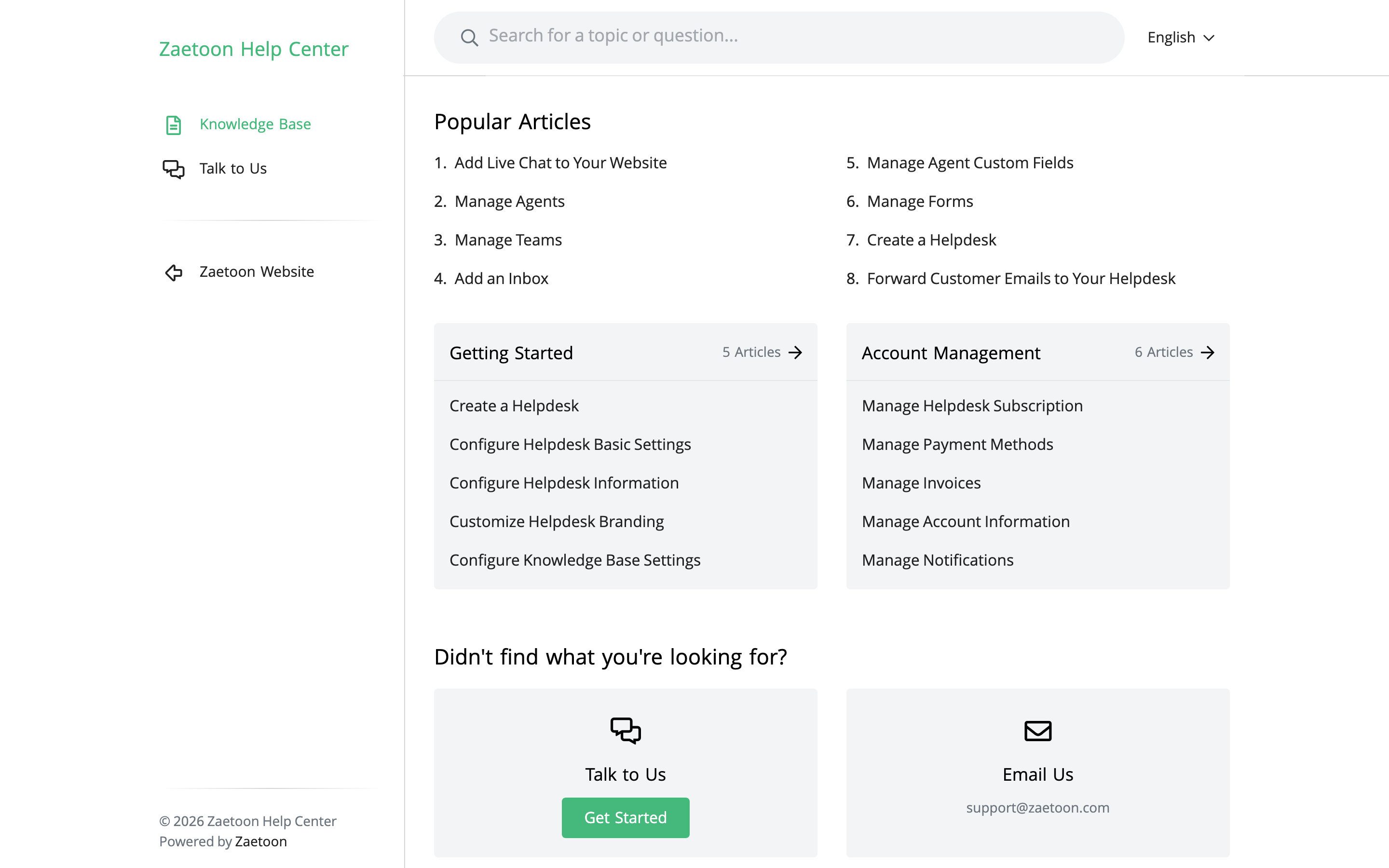
Default
Displays the primary and secondary navigation menus in a left sidebar, with articles and categories in the main content area.
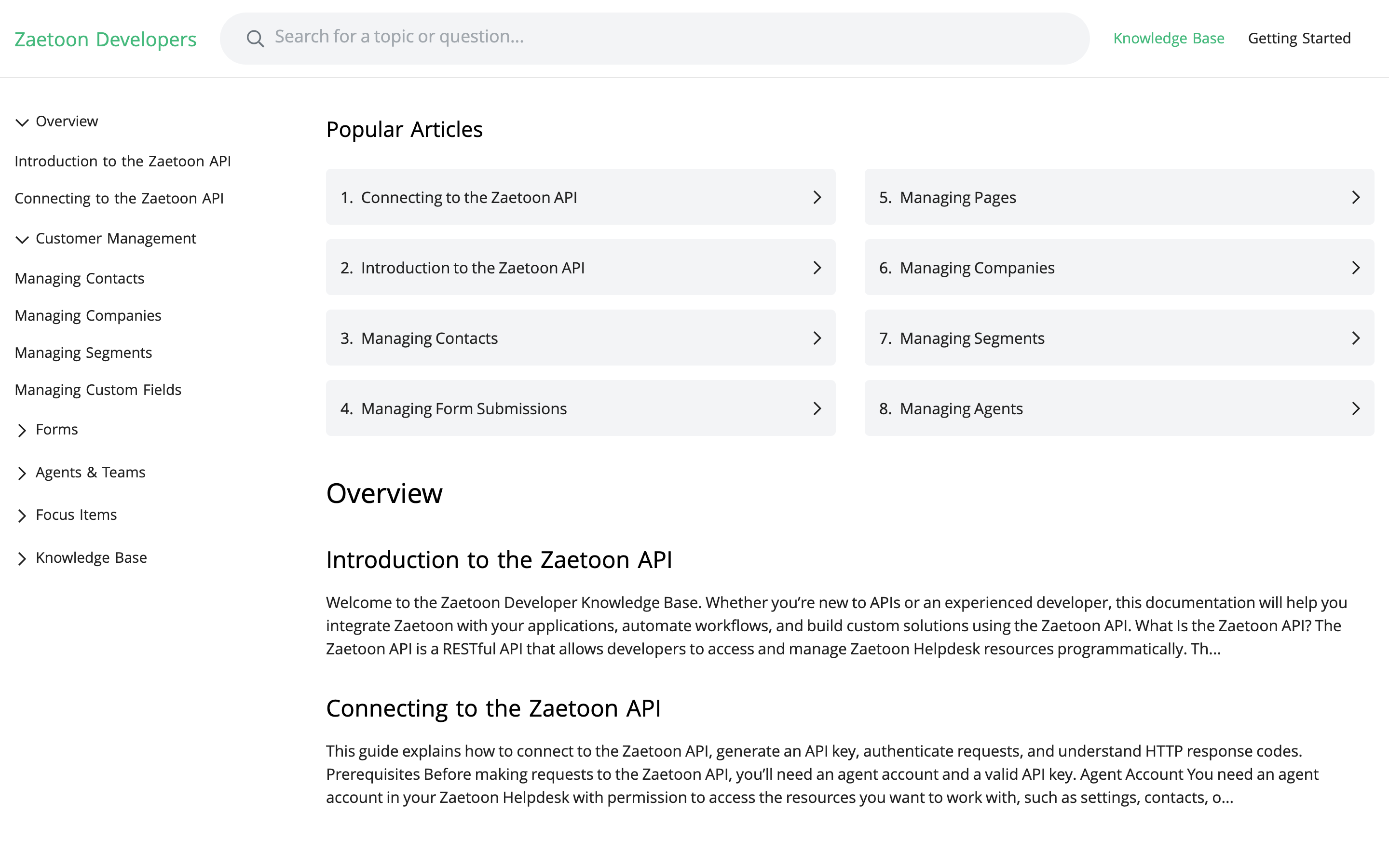
Docs
Displays navigation across the top, with an expandable sidebar for browsing categories and articles.
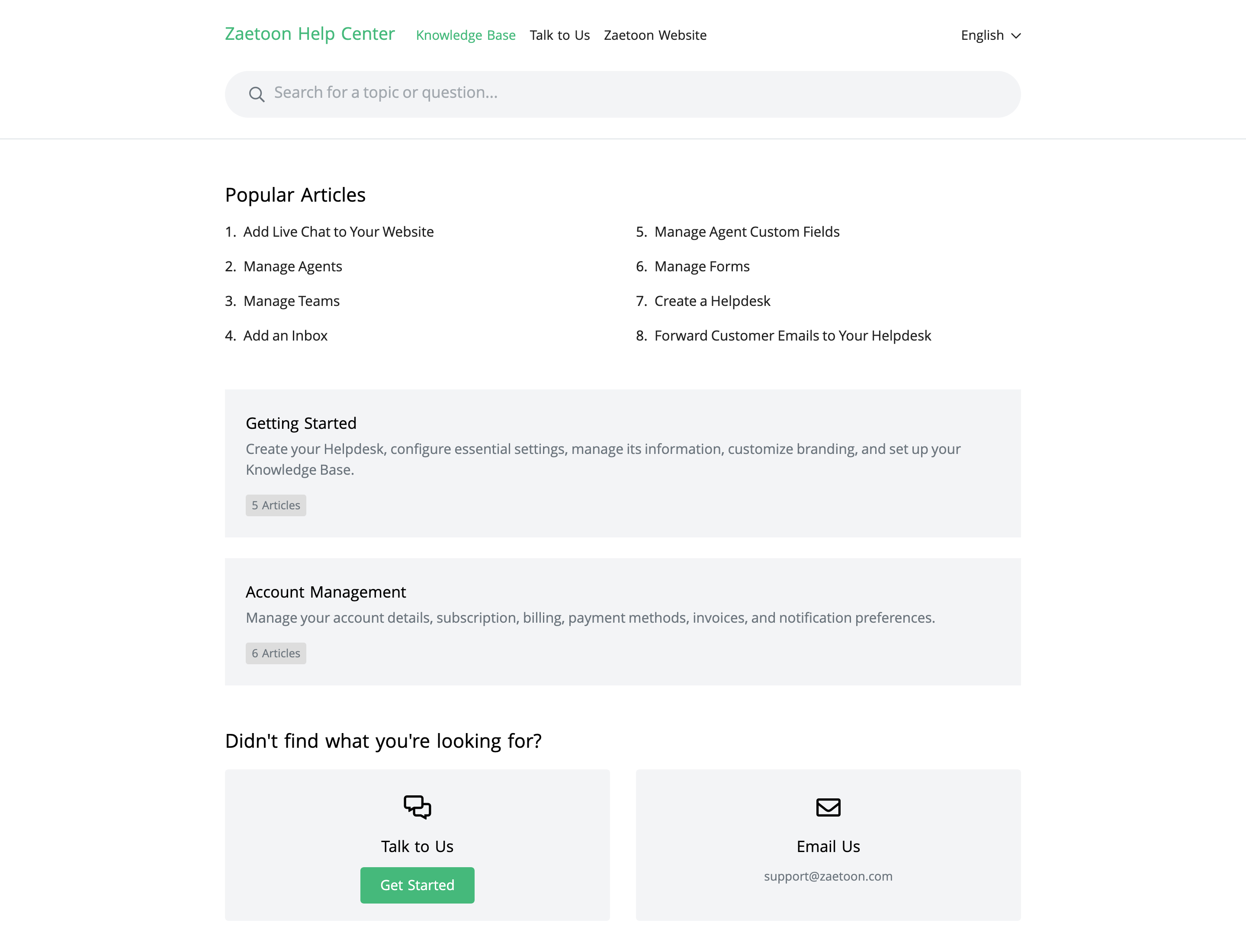
Simple
Displays navigation across the top, with articles and categories in a clean, centered layout.
Click Save to apply your changes.
Related Articles
- Manage Categories
- Manage Articles
- Manage Pages
- Customize the Home Page
- Customize Menus