Manage your Zaetoon Helpdesk’s languages, time zone, domains, agent display names, contact settings, and watermark visibility.
From your Helpdesk, go to Settings → Helpdesk → Basic Settings.
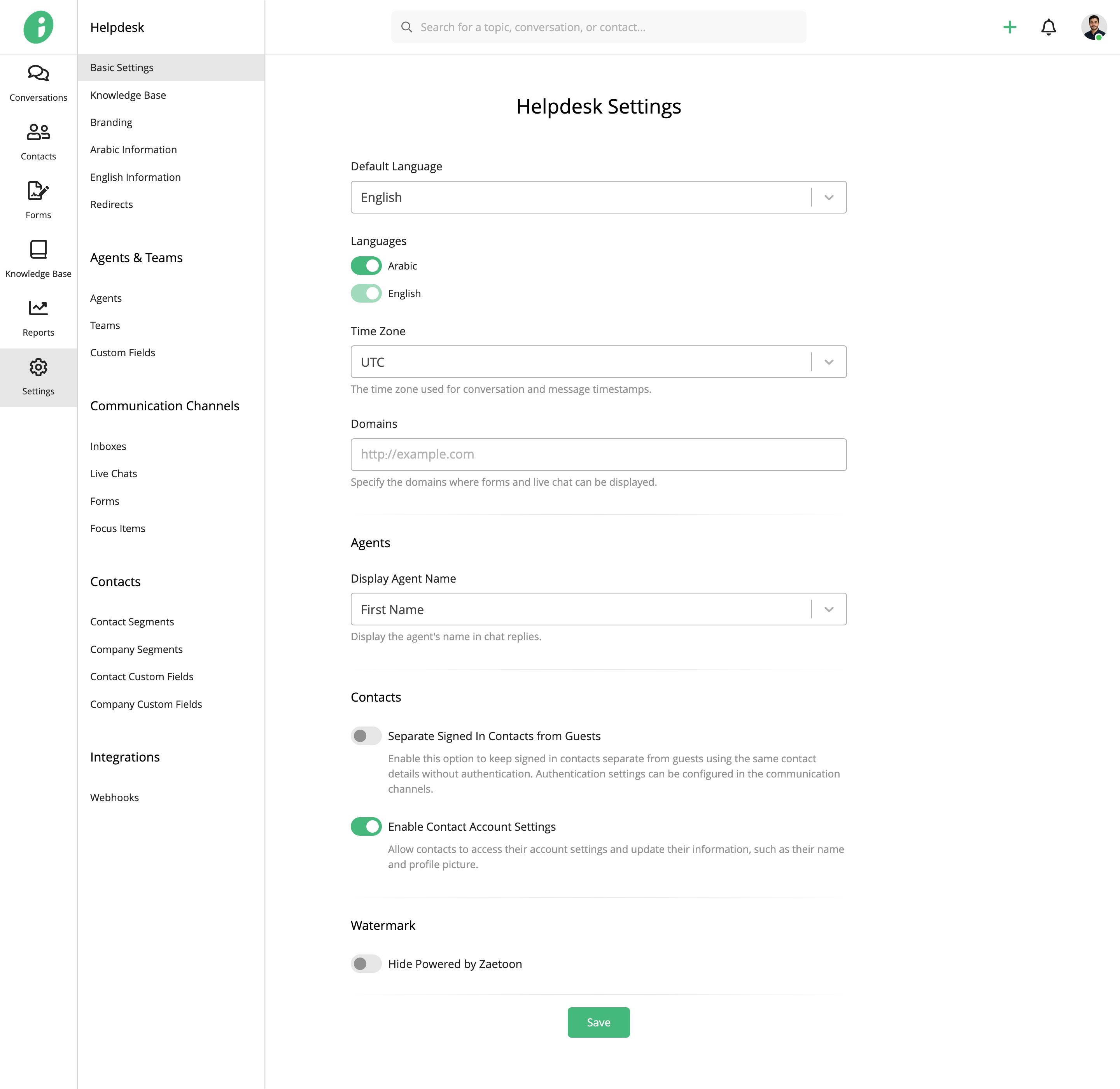
Languages, Time Zone, and Domains
Under Helpdesk Settings, configure the following options:
- Default Language: Select Arabic or English as your Helpdesk’s default language.
- Languages: Enable the languages you want to make available in your Helpdesk. Multiple languages may be available depending on your subscription plan.
- Time Zone: Select the time zone used for conversation and message timestamps.
- Domains: Add your website or online store domains to control where embedded forms and live chat can be displayed.
Agent Display Names
Under Agents, use Display Agent Name to choose how agents’ names appear to customers in replies and live chat:
- First Name: Display only the agent’s first name.
- Full Name: Display the agent’s first and last name.
Contact Settings
Under Contacts, configure the following options:
- Separate Signed In Contacts from Guests: Treat signed-in contacts and guests as separate contacts, even when they use the same email address.
- Enable Contact Account Settings: Allow contacts to update their personal information, such as their name and profile picture, through their Knowledge Base account settings.
Watermark
Under Watermark, enable Hide Powered by Zaetoon to remove the Zaetoon watermark from your Helpdesk.
This option is available on eligible subscription plans.
Click Save to apply your changes.