When you create a Helpdesk in Zaetoon, you choose a subdomain in the format subdomain.zaetoon.com, such as acme-support.zaetoon.com.
By default, your Helpdesk sends emails from an address in the format support@subdomain.zaetoonemail.com, such as support@acme-support.zaetoonemail.com.
You can connect your own domain, such as demo.example.com, so customers can access your Helpdesk through your custom domain and receive emails from an address associated with it.
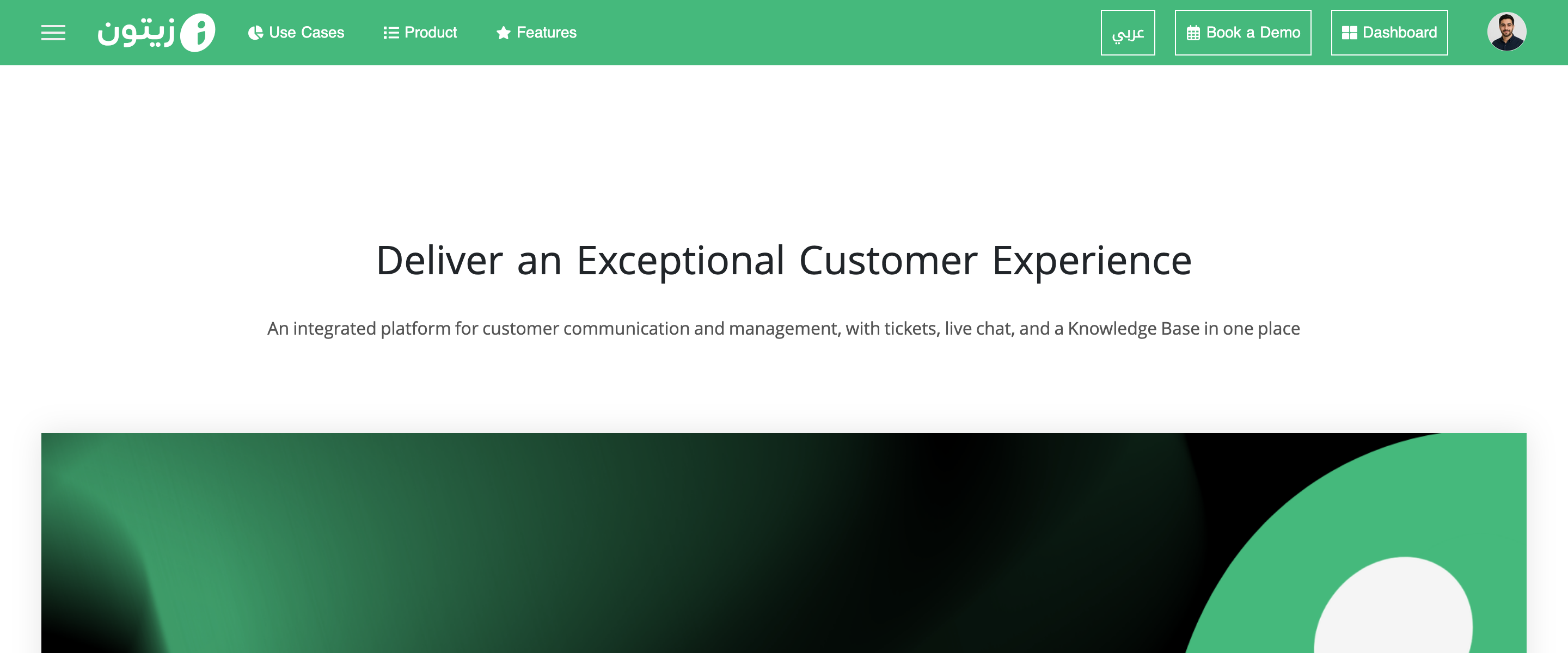
Sign in to your account from the main Zaetoon website and click Dashboard in the top-right corner.
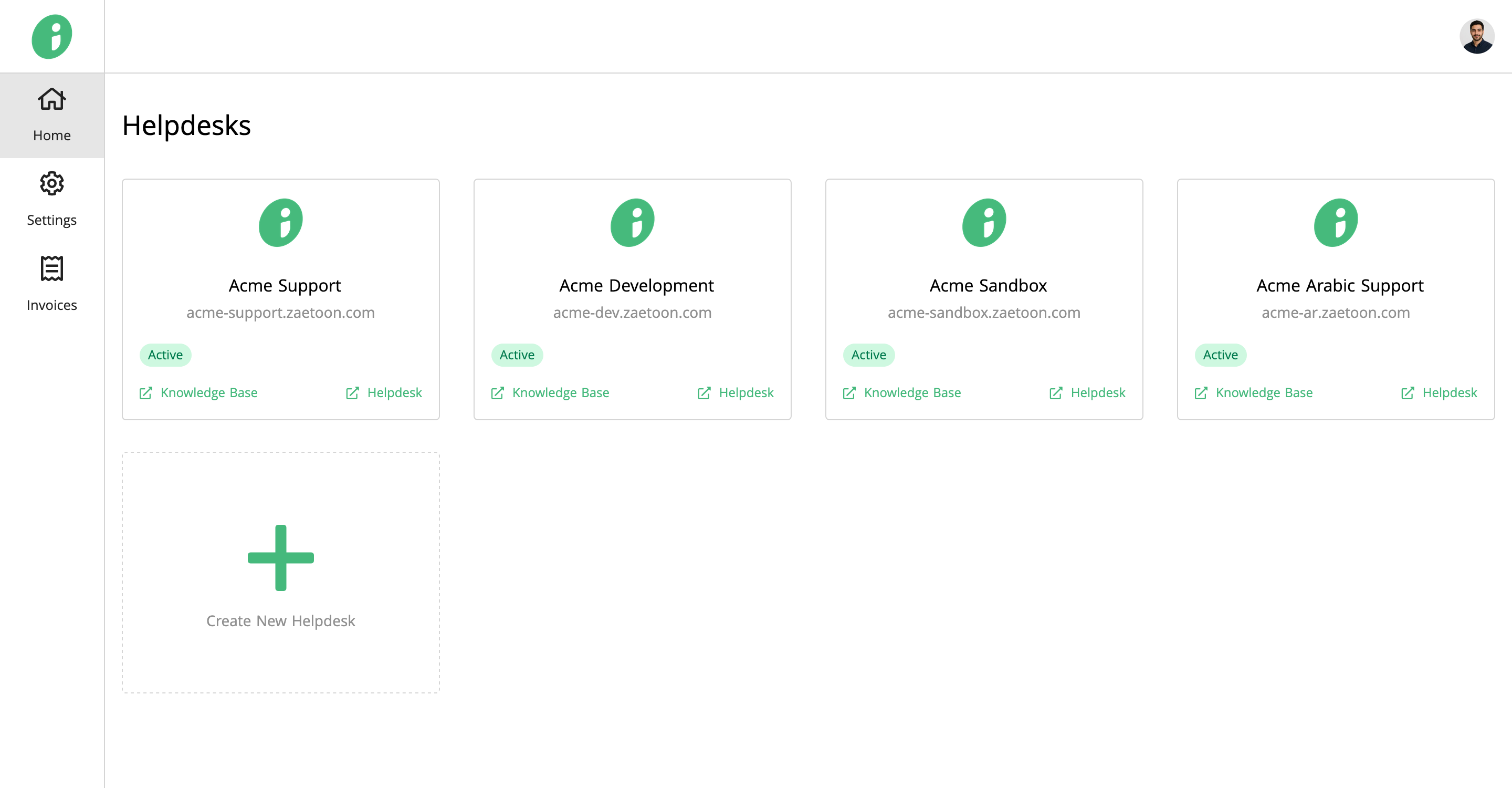
From the Home page, select the Helpdesk you want to manage, such as Acme Support.
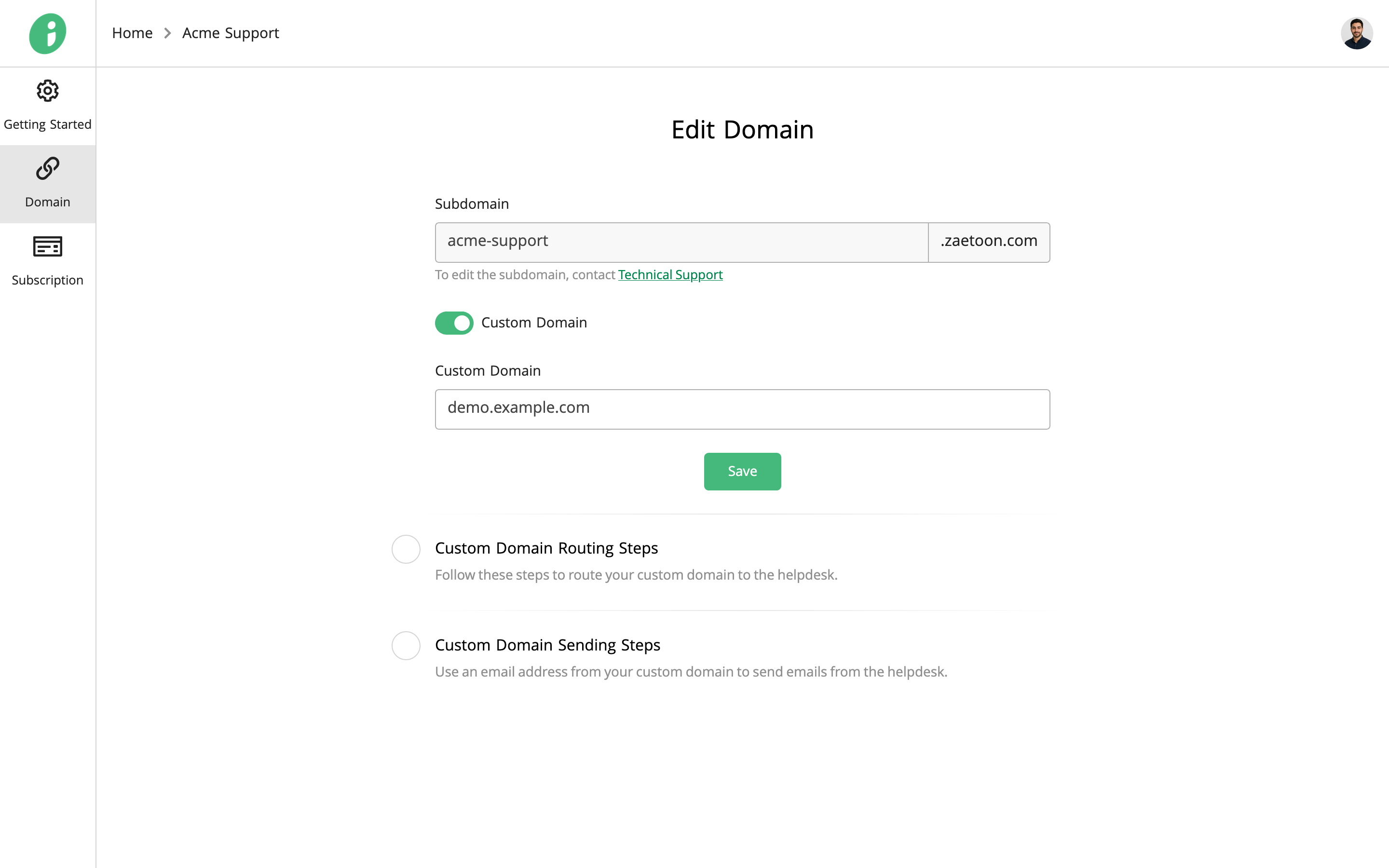
Set Up Your Custom Domain
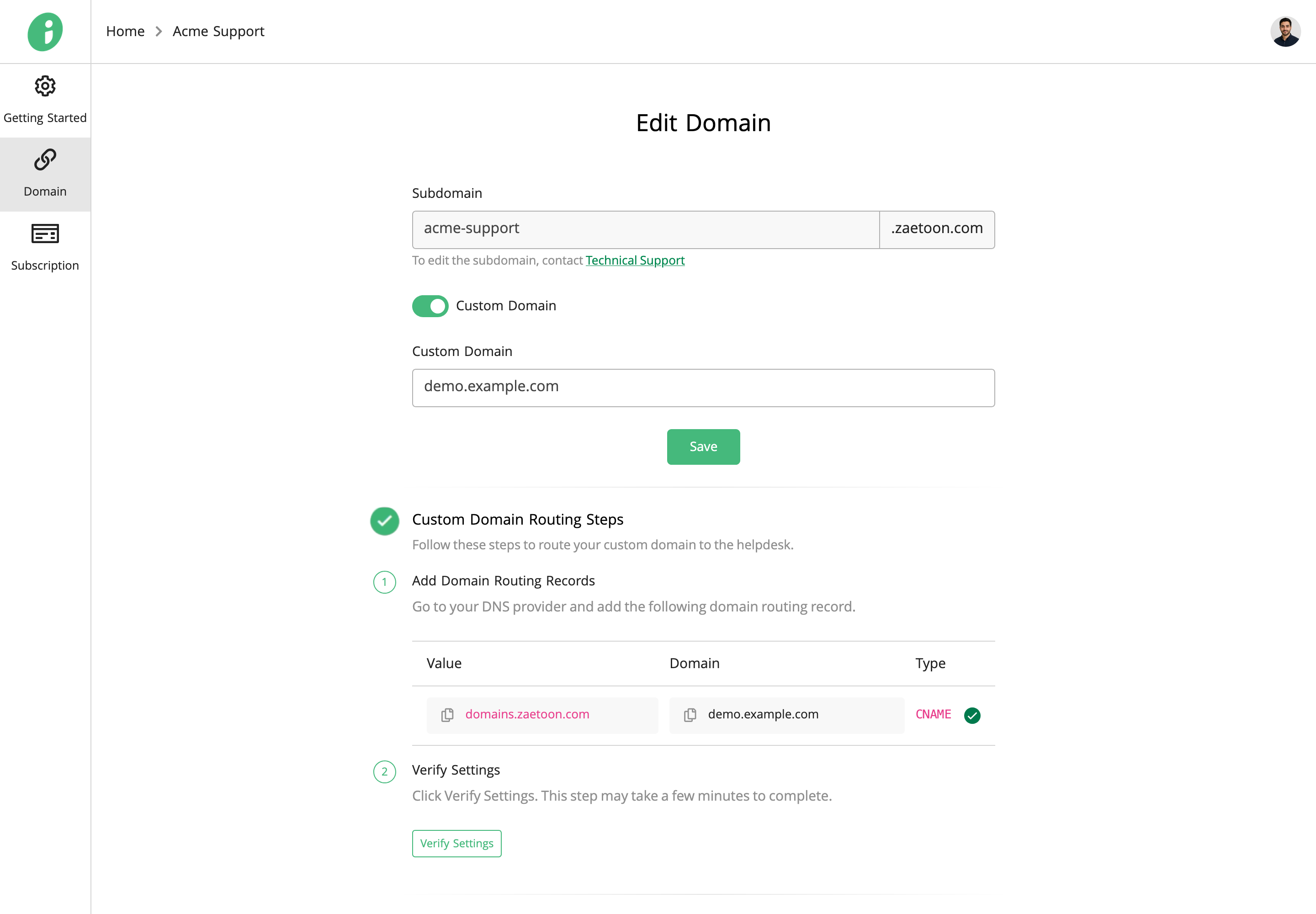
Click Domain in the left sidebar. Enable Custom Domain, enter your domain name, and click Save.
Configure Domain Routing
Under Custom Domain Routing Steps, copy the displayed CNAME record and add it to your domain provider’s DNS settings.
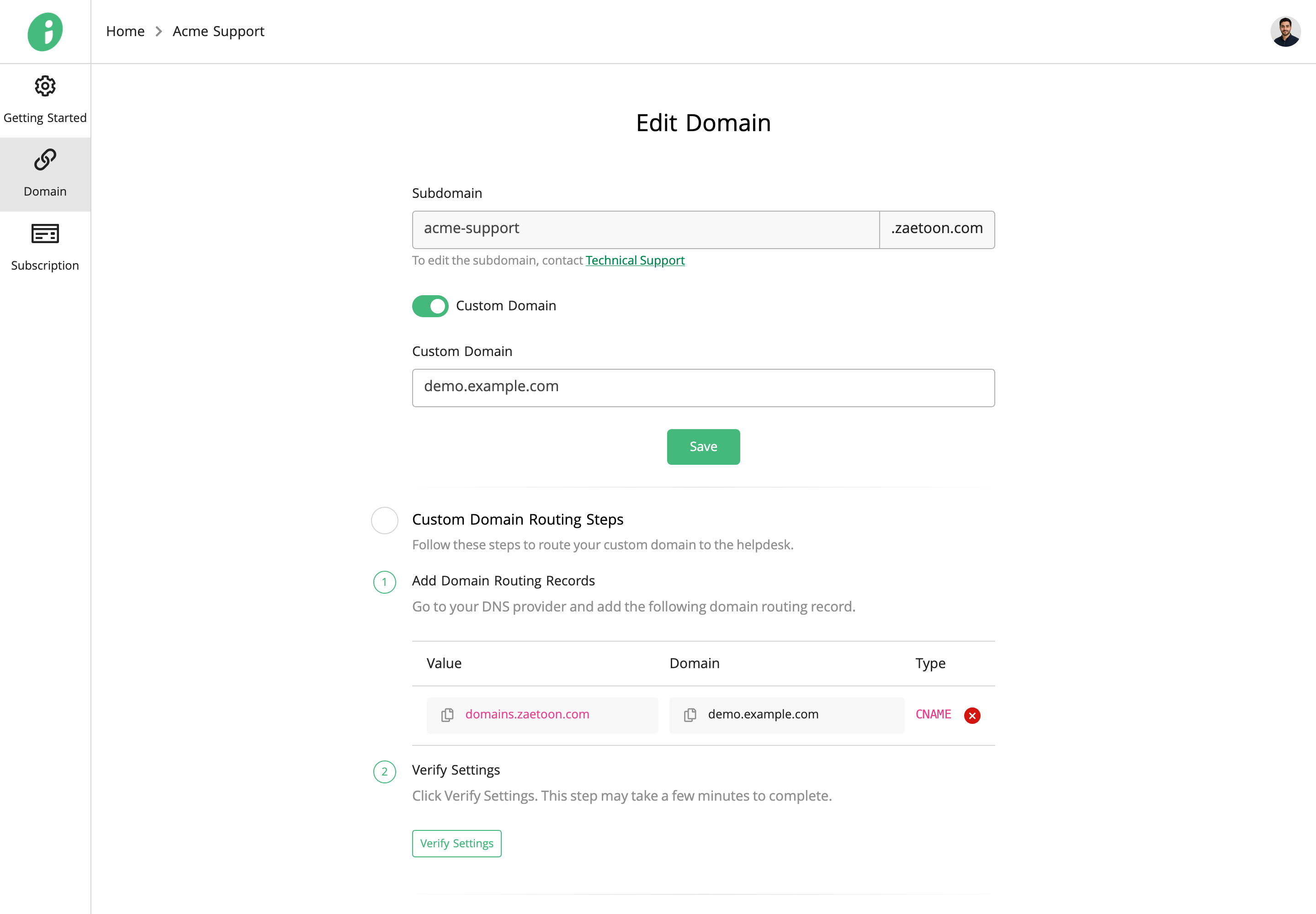
Click Verify Settings. Verification may take some time. Once verified successfully, the record’s status indicator turns green.
Configure Domain Email Sending
Under Custom Domain Sending Steps, copy the displayed CNAME and TXT records and add them to your domain provider’s DNS settings.
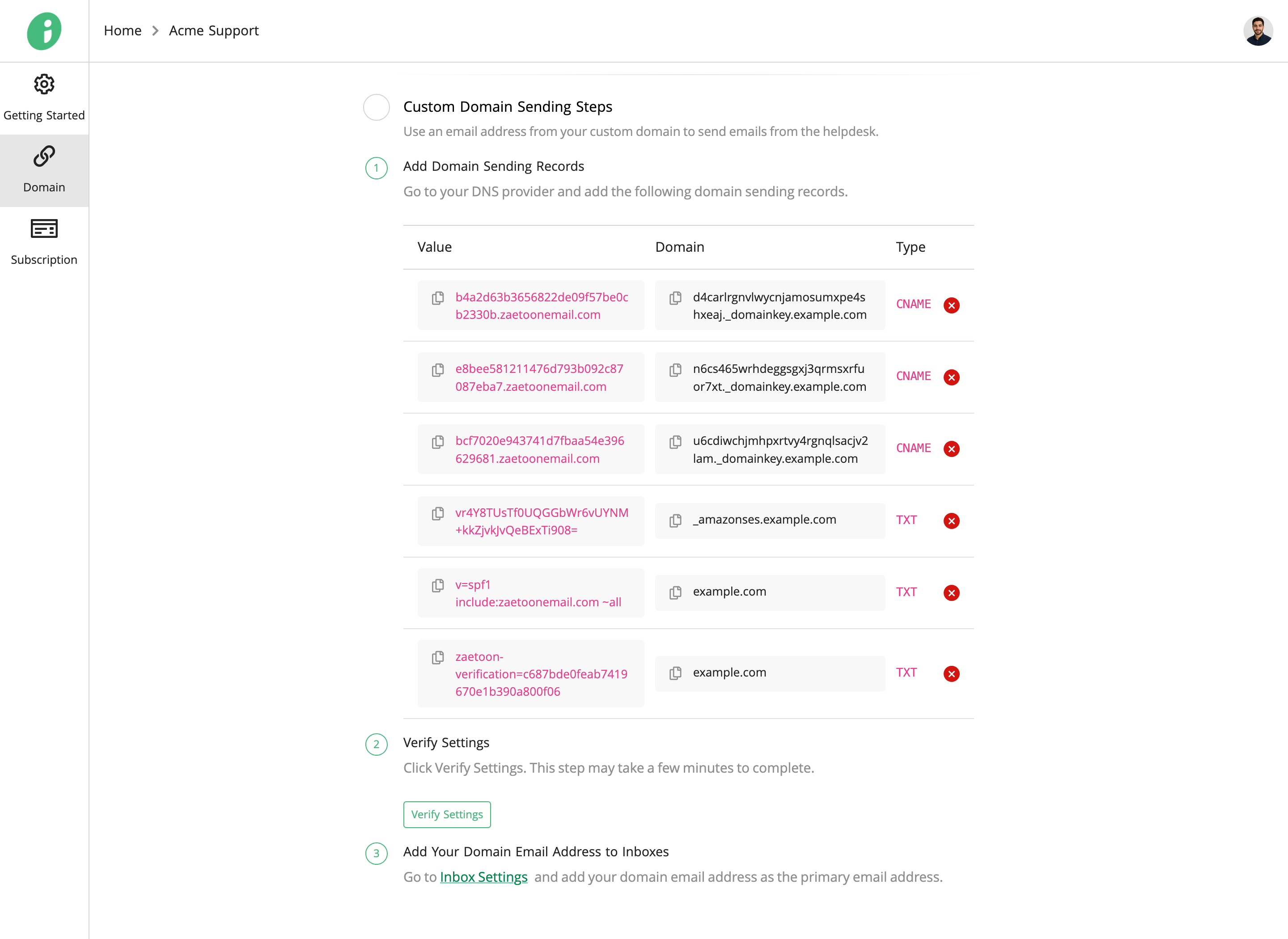
Click Verify Settings. Verification may take some time. Once verified successfully, the record status indicators turn green.
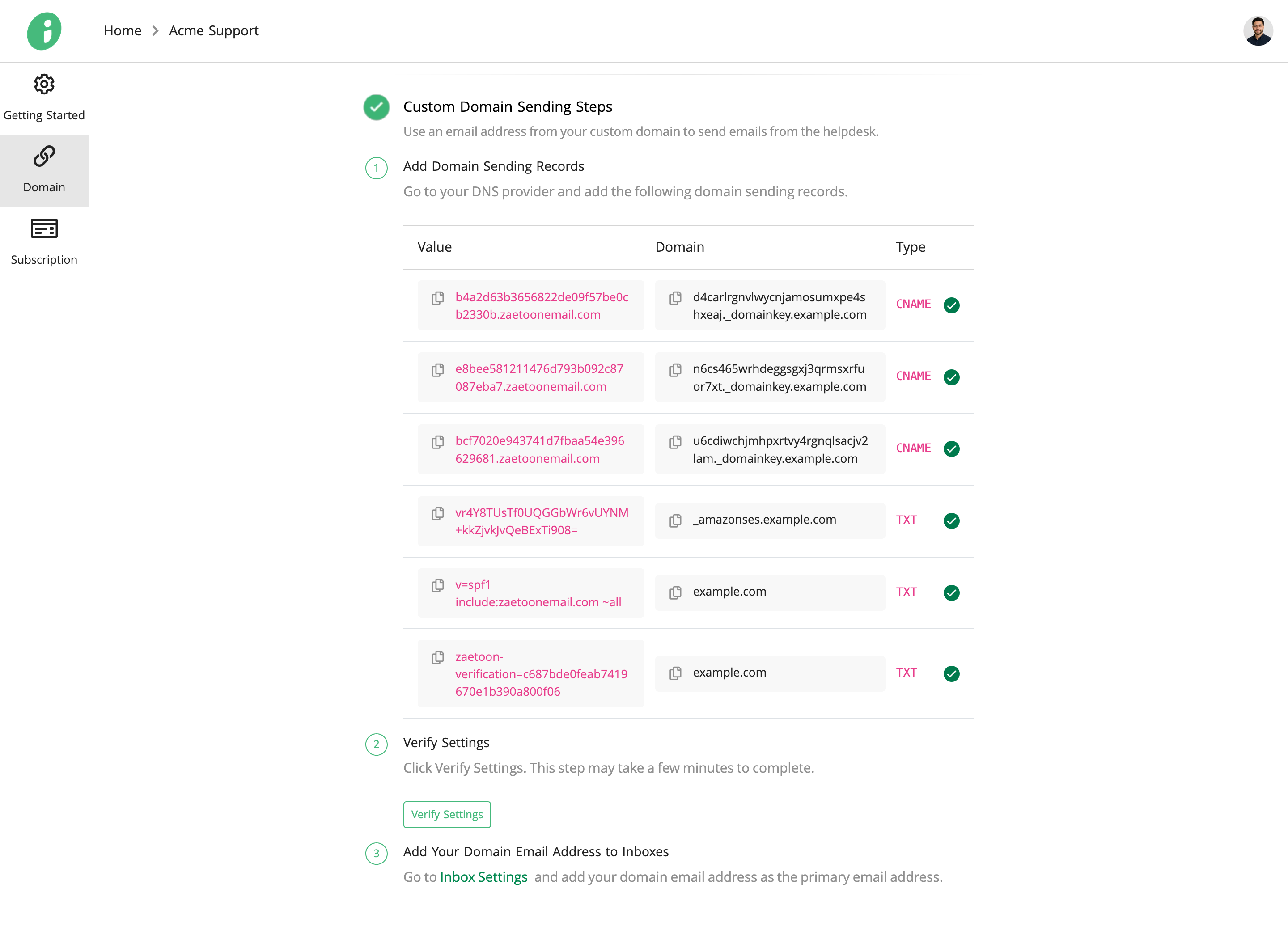
After verification, click Inbox Settings and add your custom-domain email address as the primary email address for the selected inbox.