Use Company Statistics to track company activity and understand how companies are distributed across segments and tags in your Helpdesk.
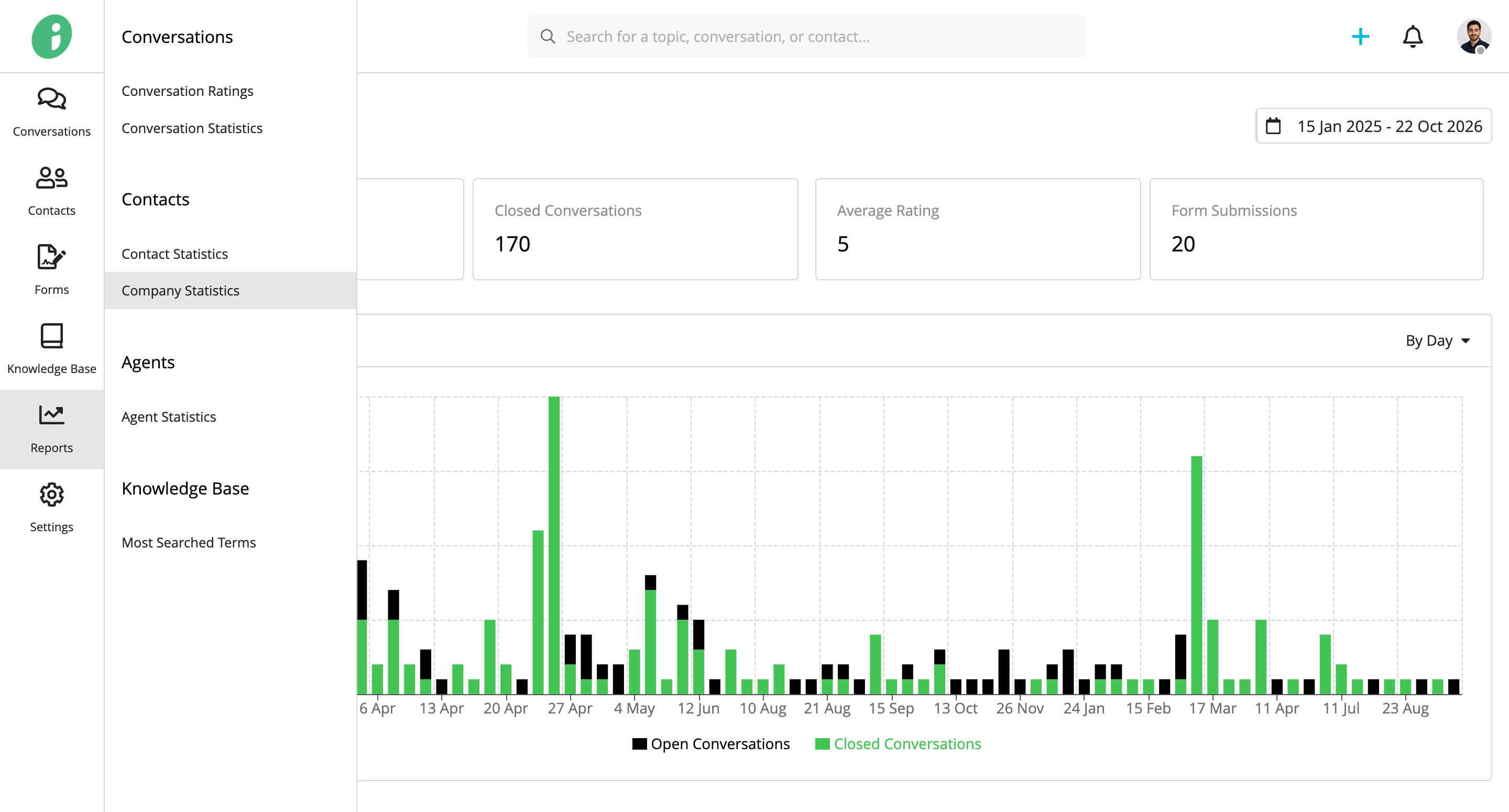
From your Helpdesk, go to Reports → Contacts → Company Statistics.
Company Activity
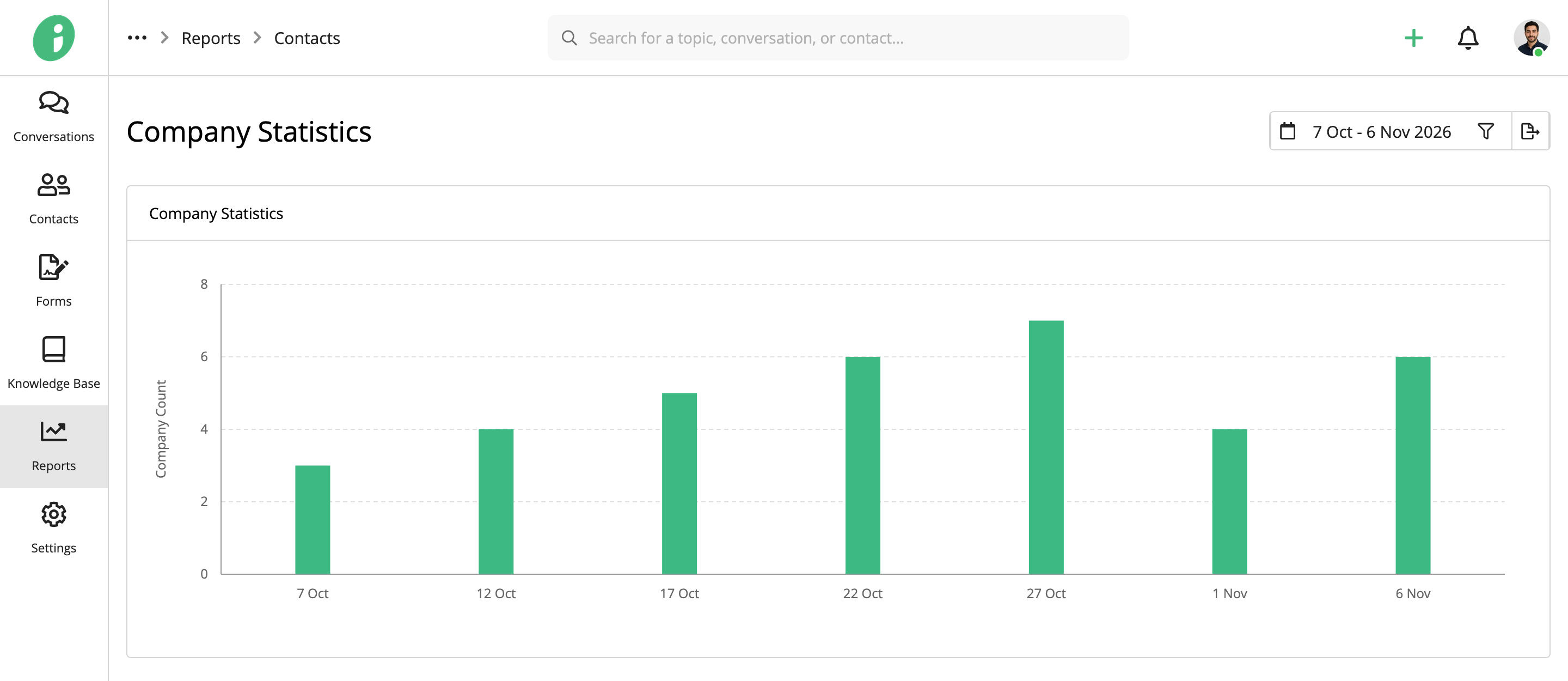
The Company Statistics chart shows the number of companies recorded over time.
Companies by Segment and Tag
The report also shows how companies are distributed across segments and tags.
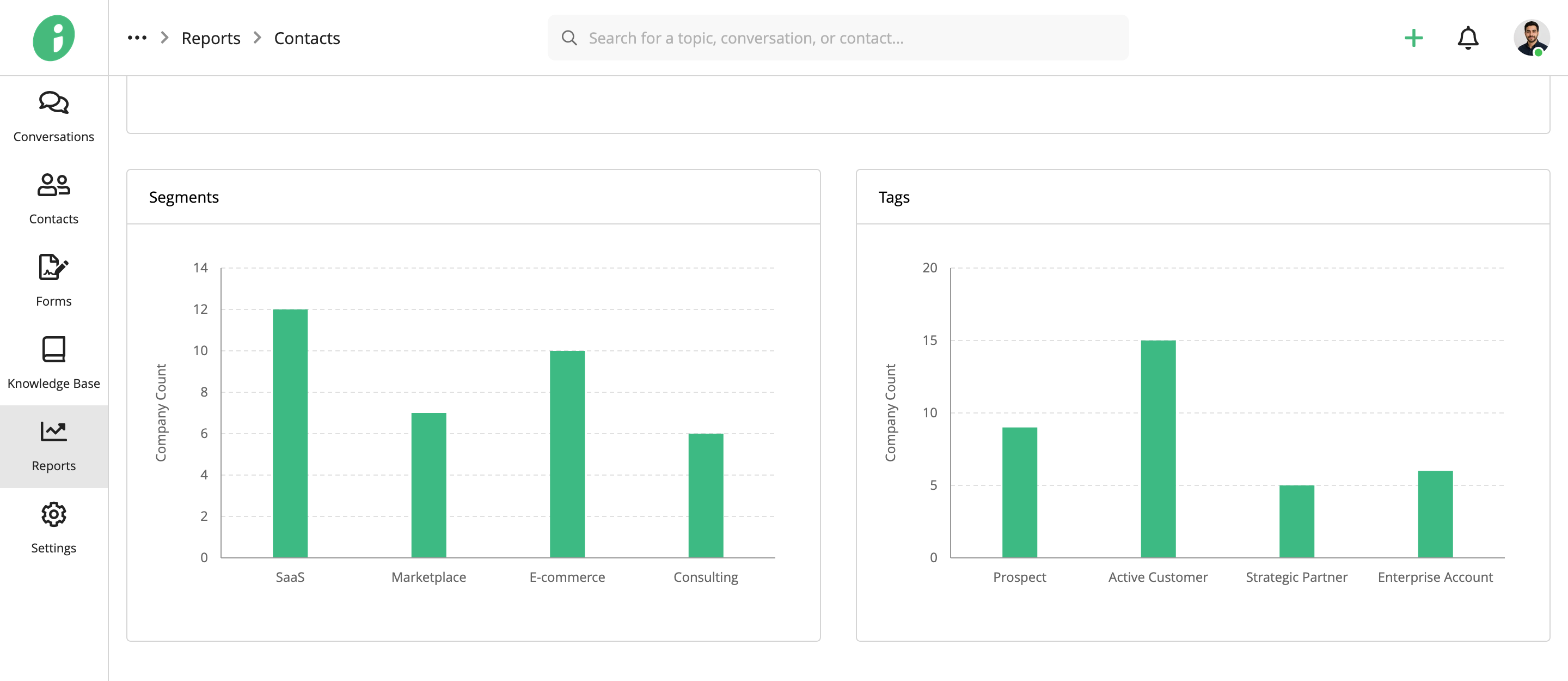
- Segments: Shows company counts by segment, such as SaaS, Marketplace, E-commerce, and Consulting.
- Tags: Shows company counts by tag, such as Prospect, Active Customer, Strategic Partner, and Enterprise Account.
Company segments and tags can be customized to reflect how your organization categorizes and manages companies.
Select a Date Range
Click the calendar icon to choose a predefined period: Today, Yesterday, Last 7 Days, Last Month, Last Year, or All Time.
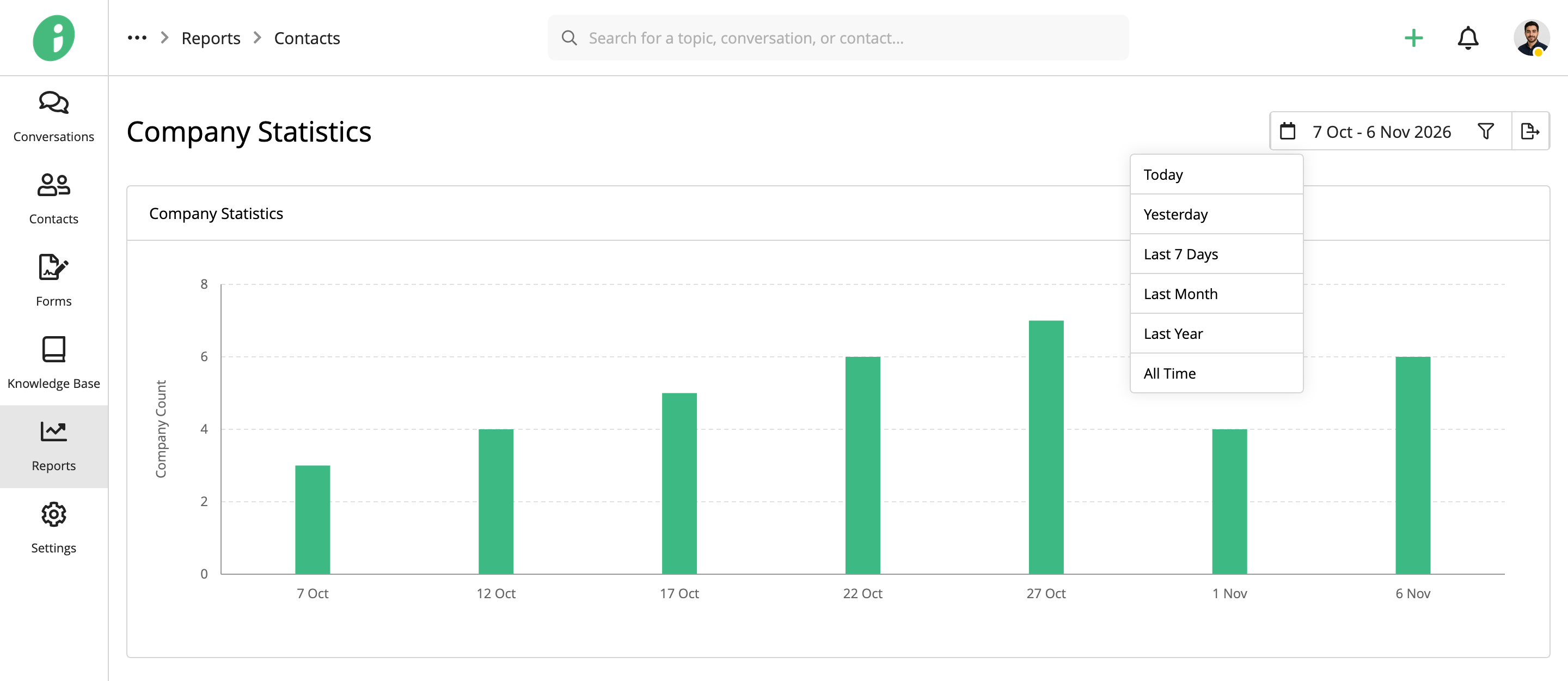
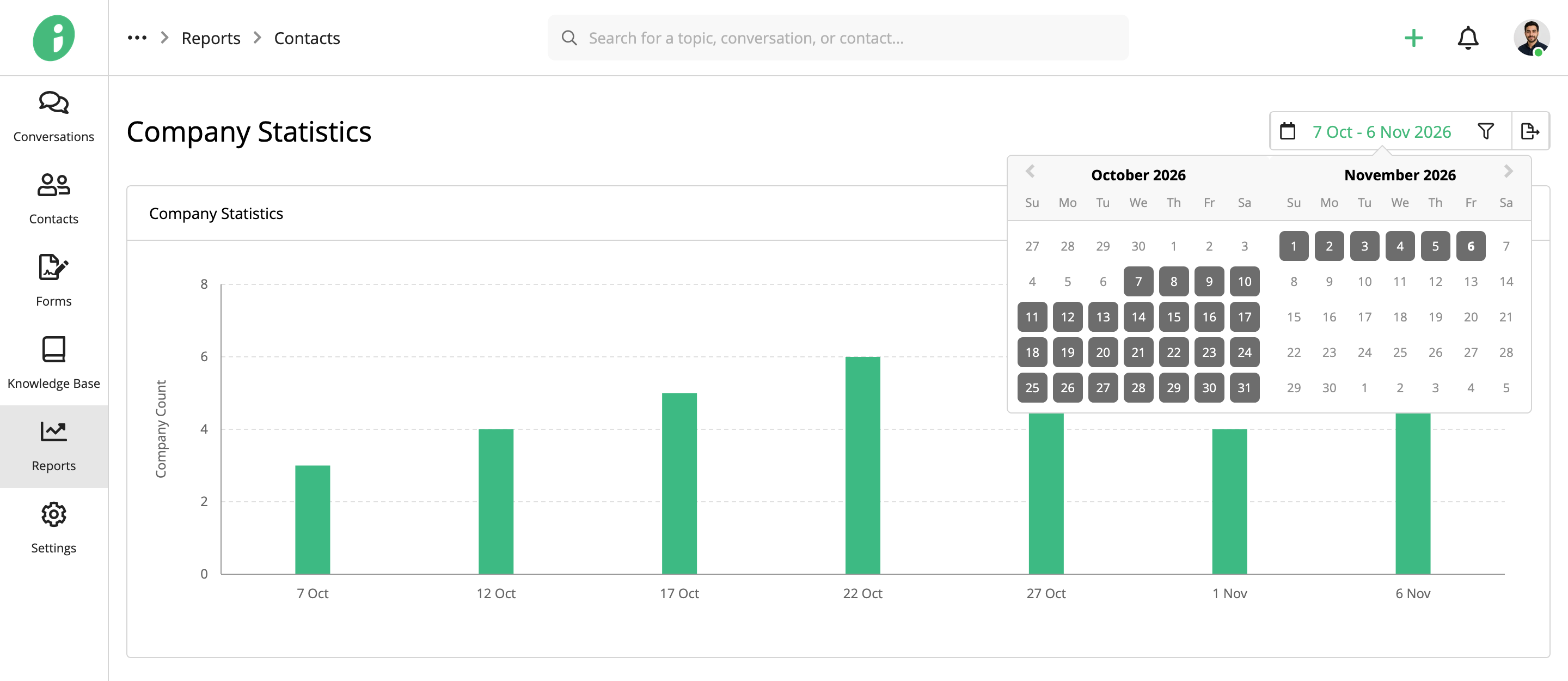
To specify a custom period, click the date range and select the start and end dates from the calendar.
Filter Company Statistics
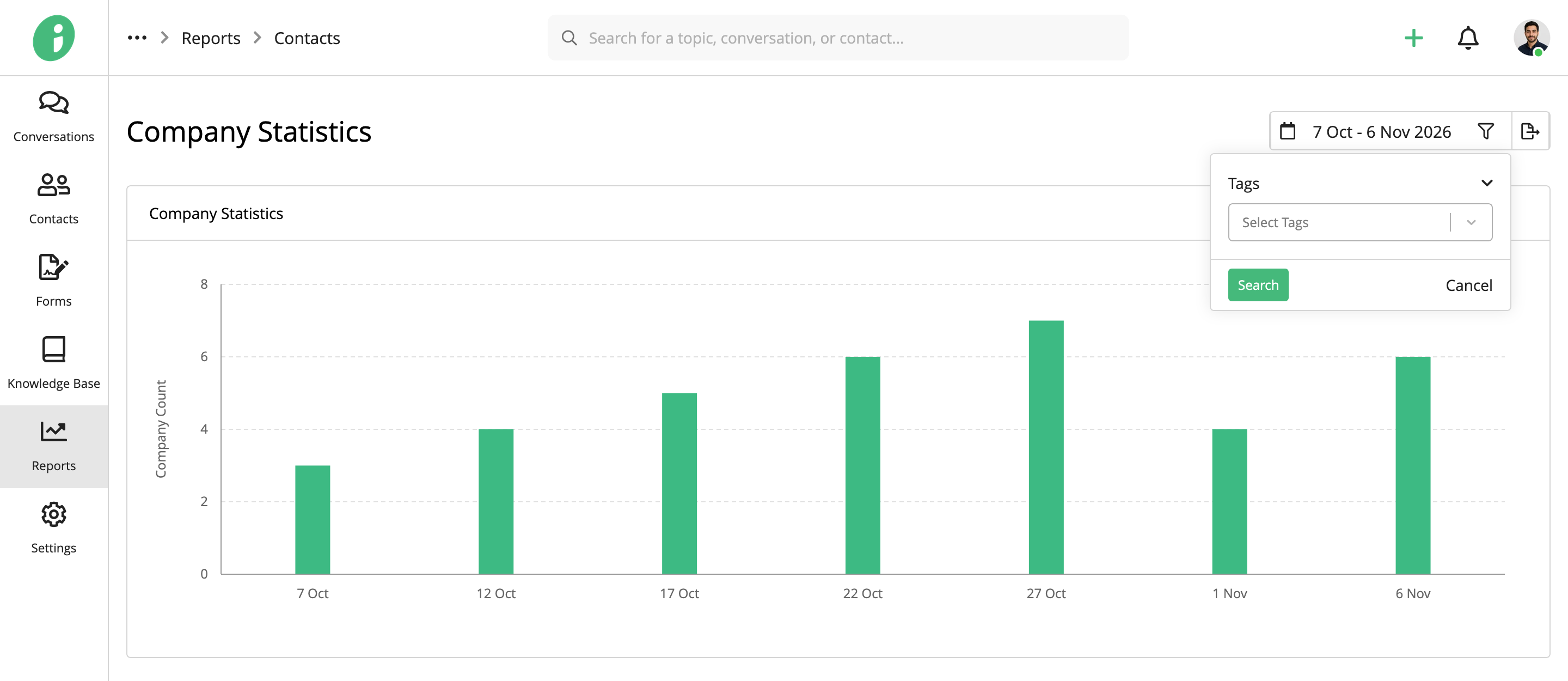
Click the filter icon in the upper-right corner, select Tags, and choose the company tags you want to filter by. Click Search to apply the filter.
Export Company Statistics
Click the export icon in the upper-right corner to open the report's print preview. Select Save to PDF as the destination to save a copy of the report.